...
- Go to the Camera state detection tab.
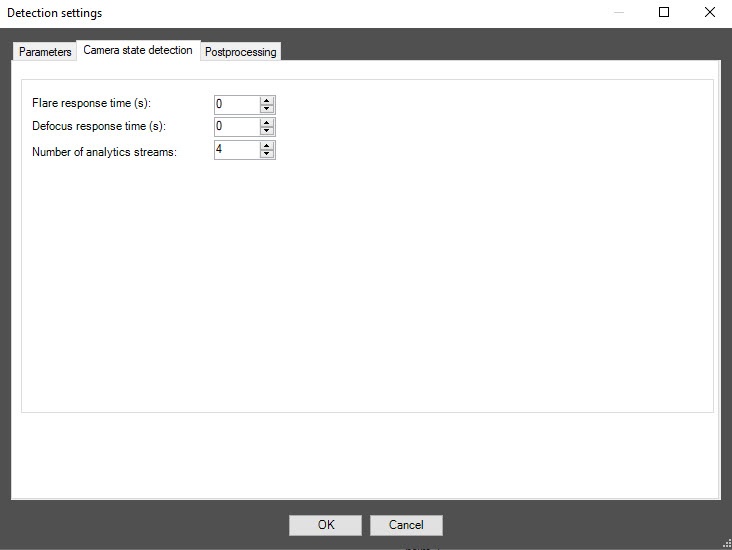
In the Flare response time (secs) field, specify the time interval in seconds after which the detector signals whether the video surveillance scene is backlighted or darkened.
In the Defocus response time (secs) field, specify the time interval in seconds after which the detector signals that the video surveillance scene is defocused.
- In the Number of analytics streams field, specify the number of video streams that are used for the neural network analytics. The default value is 4.
...
- To enable the object filter, select Object filter from the Detection filtering drop-down list in the basic settings of the detector.
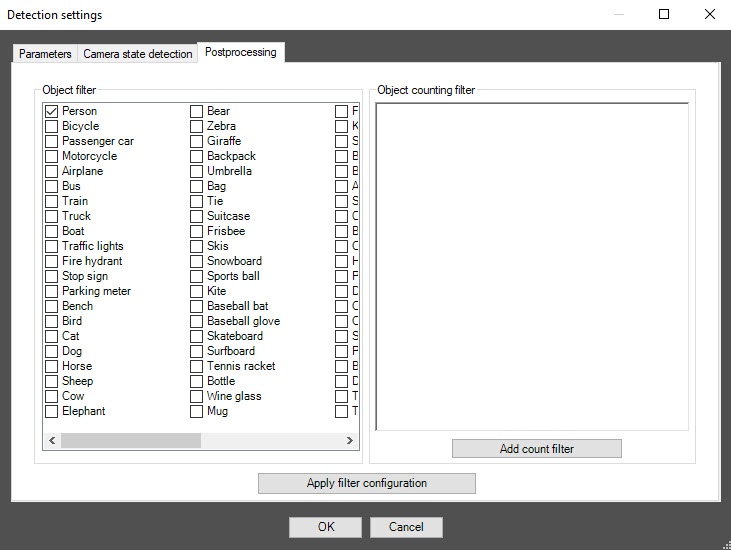
- Go to the Postprocessing tab.
- From the Object filter list on the left, select one or more objects of the frame whose triggerings objects. If these objects are detected in the frame, the detector events are filtered. They The events aren't displayed in the event viewer and on the screen.
| Info |
|---|
|
To remove the filter, click it again. |
- To apply the filter, click the Apply filter configuration button.
...
Configuring the VI detection of camera state program state module is complete.


