Go to documentation repository
The WEB Report System PSIM allows allows you to create the T-12 and T-13 reports that represent time and attendance reports.
In The T-12 and T-13 reports display the information on the hours worked time by an employee for every each calendar day in a the reporting month is given. Also in , the T-12 and T-13 reports calculate the total of worked hours (days) in a worked for the month and the number of absences from work is given. Examples of T-12 and T-13 reports are given in the following figures correspondingly.
The T-12 report is presented in the following figure.
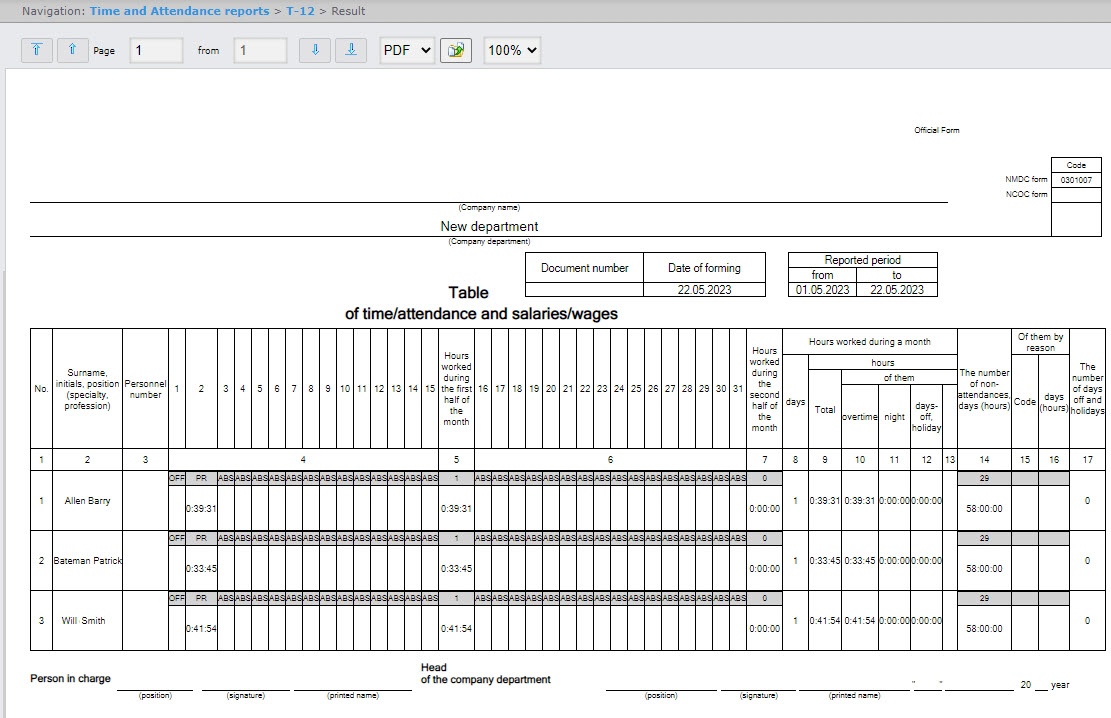
for each employee of the department.
In the 4 and 6 columns of The top line of columns 4 and 6 of the T-12 report and in the column 4 column of the T-13 report the displays a letter code (note of presence attendances and absencenon-attendances, etc.) is given in the upper line, worked time is given in , and the bottom line displays the hours worked.In the
The top line of columns 5 and 7 columns of the T-12 report and in the column 5 column of the T-13 report displays the number of worked days is given in the upper line, time worked days worked, and the bottom line displays the hours worked by each employee for half of a month is given in the bottom line. The 6 column of the reporting month. Column 6 of the T-13 report contains the number of days and the total time hours worked by every each employee in a the reporting month.
The T-13 report is presented in the following figure.
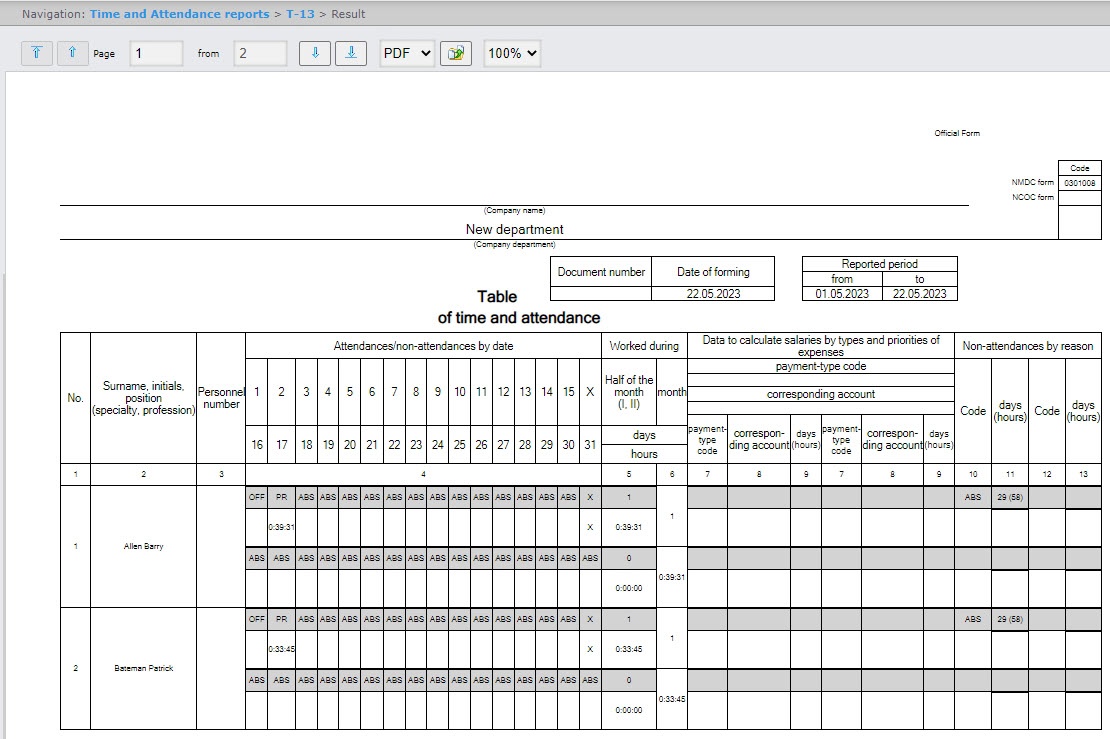
Information on salary accounting by expense kinds is given in the data to calculate salaries by types and priorities of expenses are displayed in columns 7-9 columns of the T-13 report.
Total by worked time for The total of the hours worked during a month by an employee is given displayed in the columns 8-13 columns of the T-12 report.
Total by The total of an employee's absence from work is given in the non-attendances are displayed in columns 14-16 columns of the T-12 report and in the columns 10-13 columns of T-13 report.of the T-13 report.
The T-12 report is presented in the following figure.
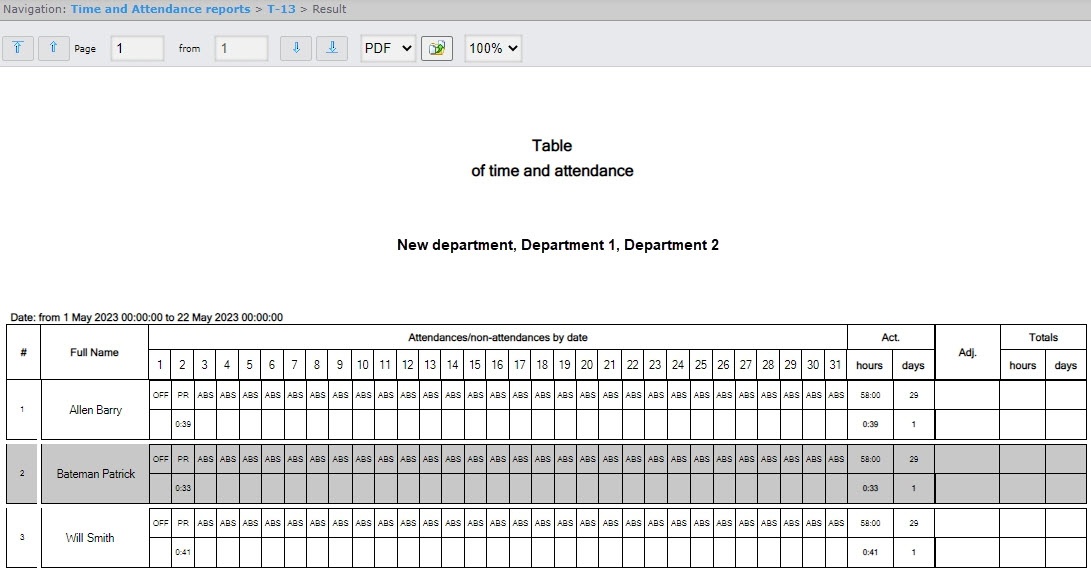
You can create the T-13 report in two variants: regular view (selected by default) and alternate view. In addition, you can select multiple departments. The following figure shows the regular view of this report.
The following figure shows the alternative view of this report with several departments selected.