
Go to documentation repository
Setting up user email allows for speeding up the setup of automatically executed tasks (see Setting up the automatically executed tasks), since the email address specified for this user will be used by default in the Emails field when creating a task (see Creating the task).
To set up the user email address in the the WEB Report System PSIM, do the following:
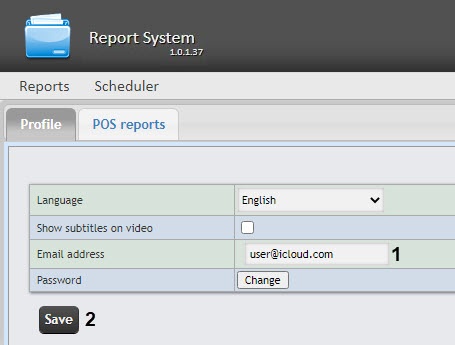
User Setting up user email setup is complete.

