Go to documentation repository
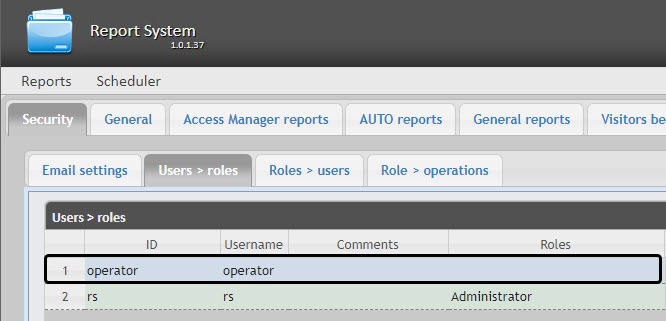
The list of users of the WEB Report System PSIM is available on the Users Users > Roles and Roles > Users of the roles and Roles > users tabs on the Security tab.
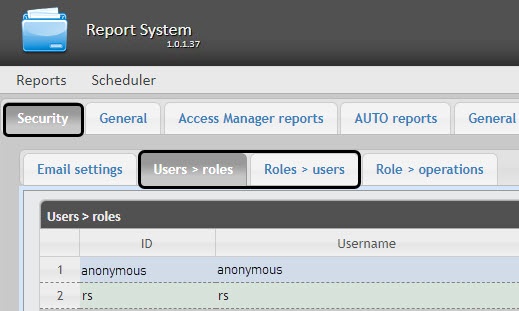
By default the WEB Report System PSIM contains two users, rs and anonymous, none of which can be deleted. You cannot delete them.
The rs user in WEB the WEB Report System PSIM PSIM performs the administrator functions, while anonymous is a dummy template for the operator account.
New users can be added to You can add new users to the WEB Report System PSIM by means of Axxon PSIM system settings only.
Adding To add a new user to to the WEB Report System PSIM is performed in the following wayPSIM:
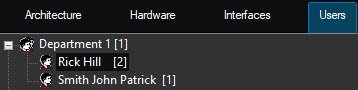
Registration of Register the right to use use the WEB Report System PSIM. This procedure is described in detail in the Registration of users' rights section of the Axxon PSIM Administrator's Guide.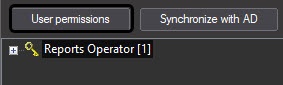
Assigning Assign the right to to use to use the WEB Report System PSIM to the new user. This procedure is described in detail in the Assigning the rights and password to operators for authorization in the Axxon PSIM section of the Axxon PSIMAdministrator's Guide.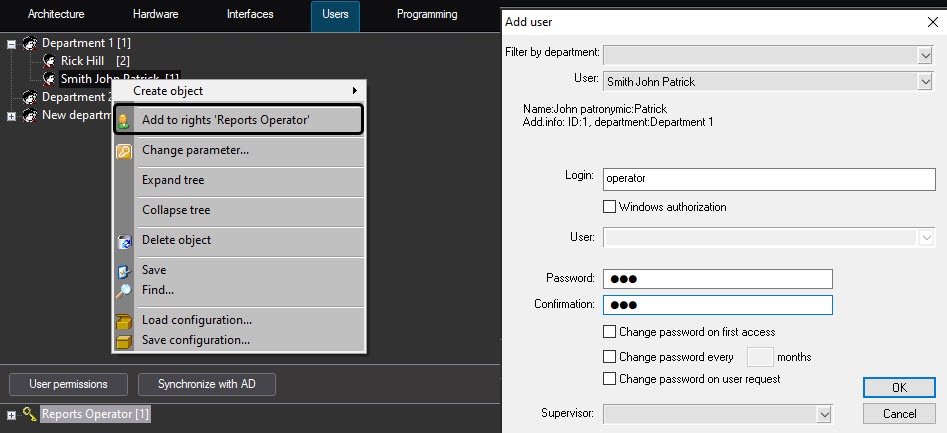
| Info | ||
|---|---|---|
| ||
It is recommended to take Take into account the following specifics while adding when you add a new user to the WEB Report System PSIM user PSIM by means of Axxon PSIM:
|
Replace the following strings:
| Code Block |
|---|
<authentication mode="Forms">
<forms loginUrl="~/Account/LogOn" timeout="15" cookieless="UseCookies"></forms>
</authentication> |

with the following strings:
| Code Block |
|---|
<authentication mode="Windows">
</authentication> |
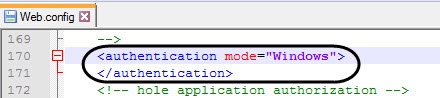
Log in to Windows with the user account under which you
plan to work with
the WEB Report System PSIM.
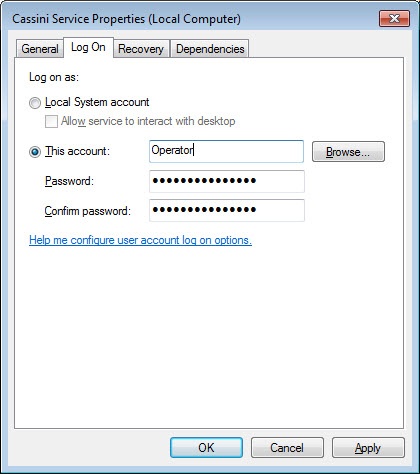
Restart the Cassini
Service with the user account under which you
plan to work with
the WEB Report System PSIM.
| Info | ||
|---|---|---|
|
If you plan to work with |
the WEB Report System PSIM |
with several users, then after each authorization in Windows of another user, it is necessary to restart the Cassini Service with the required user account. |
As a result, when you open the WEB Report System PSIM in the browser, you
are automatically logged in under the specified Windows user account.
| Info | ||
|---|---|---|
| ||
If no user is added to the Axxon PSIM user rights, then by default this user is assigned the Administrator role. If there is at least one user in Axxon PSIM, and this user is not the one |
that was used in Windows authorization, then this user will not have access to the |
administration panel. If there is a user in Axxon PSIM who is logged in using Windows authorization |
but not given access to the WEB Report System PSIM, then this user will not have access to the |
administration panel. |
Any required number of users may can be added to to the WEB Report System PSIM in this manner.