
Go to documentation repository
| Info | ||
|---|---|---|
| ||
You can use templates when you create a report. To add a new template, click Report templates→New template and fill in the Name and Description fields. The template will use the selected parameters of the current report. Templates work the same way as templates in the scheduler and can be used interchangeably. When you create a response using a template, click Report templates at the top of the page and select the required template from the list of saved templates (the required template is highlighted). As a result, the parameters of the current report are updated according to the selected template. |
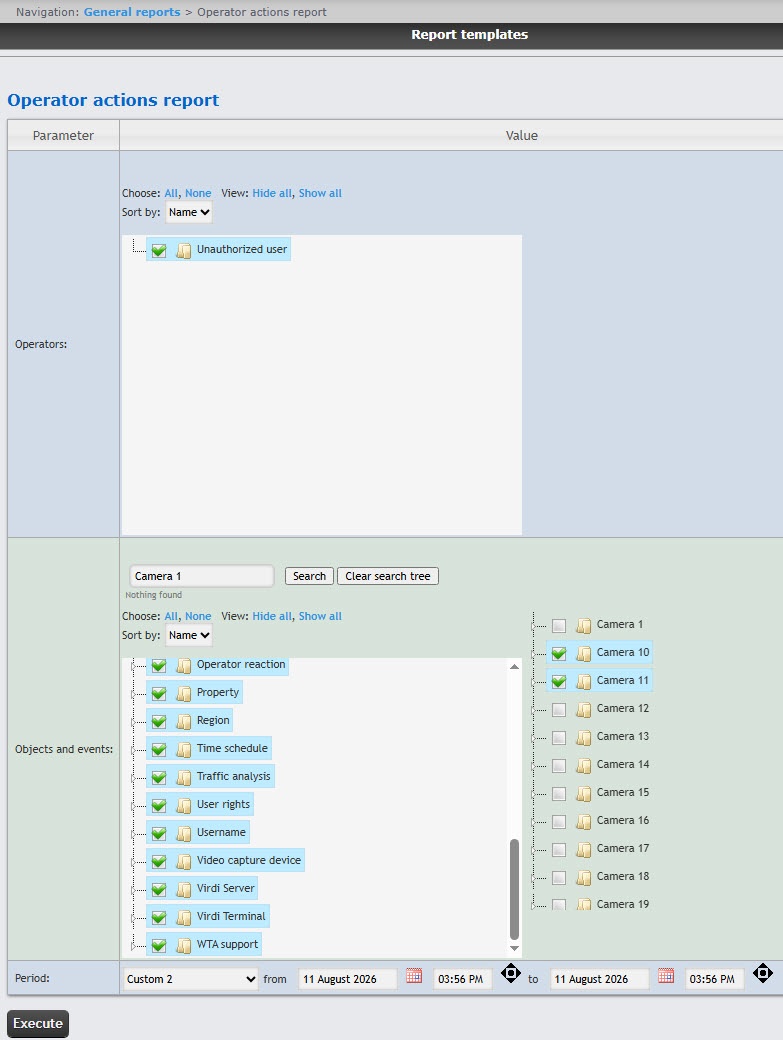
To create an Operator actions report, do the following:
| Info | ||
|---|---|---|
| ||
The Unauthorized user value means a user who wasn't authorized, or a user who was removed from the system, and/or a user who had their rights deleted. |
To search for internal objects, enter the name of the object you are looking for
in the search field (
minimum four characters) and click the Search button
. The found objects
are displayed in an additional object tree on the right. To cancel the
search, click the Clear search tree button
.
From the Period drop-down list
, select the time period to
create the report.
If you
selected Custom or Custom 2 period, enter the start and end dates of the time period in the from and to fields using the Calendar tool.
 button next to the corresponding field.
If you selected
the Custom 2 period, additionally enter
the time of the start and end periods to create
the report
 button
.
To
create the report, click
the Execute button
.
Example of an Operator operator actions report:
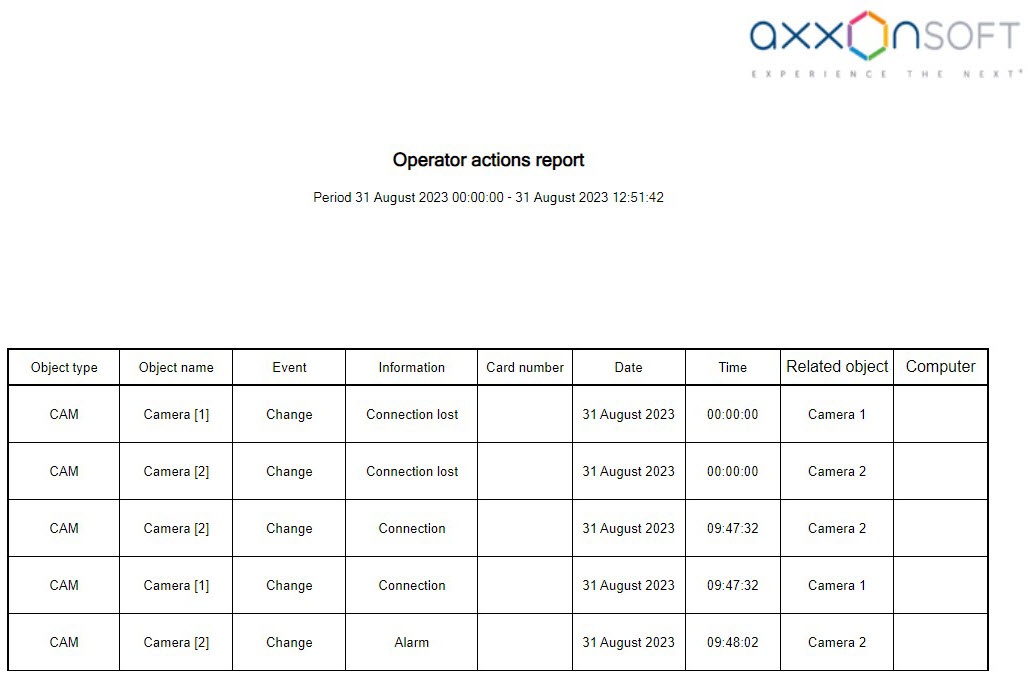
Report fields are described in the table.
| Field | Description |
|---|---|
| Object type | Type of an object in the system |
| Object name | Name of an object. Note. The object's identifier is displayed at the end of the object name in square brackets |
| Event | Event type |
| Information | Event name |
| Card number | Operator Number of operator access card number |
| Date | Date of an event |
| Time | Time of an event |
| Related object | Object name with which an event is related |
| Computer | Computer name |
...

