
Go to documentation repository
Previous page Next page
To configure the Vehicle type recognition module, do the following:
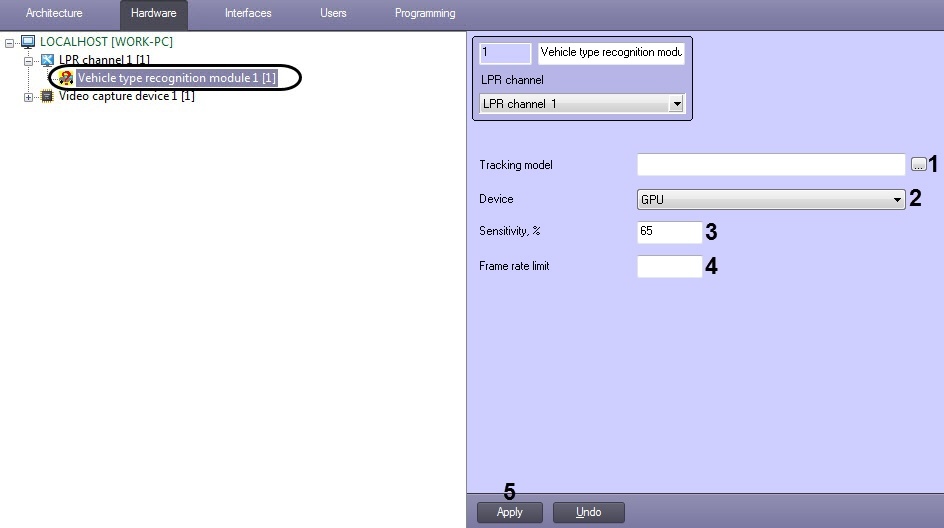
 button (1) and open the trained neural network file in the standard Windows box that opens.
In the Sensitivity, % field (3) specify the module sensitivity - an integer value in the range from 0 to 100.
Note
The sensitivity is determined experimentally. The lower the sensitivity, the greater the likelihood of a false vehicle type recognition. The higher the sensitivity, the less likely the false vehicle type recognition, but some useful tracks may be skipped.
Note
It is possible to change the number of frames that are stored in the buffer for the Vehicle Type Recognition Module (UrlServer). To do this, change the value of the UrlServerFrameBuffer parameter (for details, see Registry keys reference guide, for more information about working with the registry, see Working with Windows OS registry).
Configuring the Vehicle type recognition module software module is completed.

