You are viewing an old version of this page. View the current version.
Compare with Current
View Page History
« Previous
Version 12
Next »
You must configure the video player to:
- View the video archive of events in browsers based on the Blink and Gecko browser engines (Google Chrome, Yandex Browser, Firefox, Opera, and others).
- Display frames from cameras in the Report by camera general report.
To configure the video player:
- Go to the General tab → Video player settings.
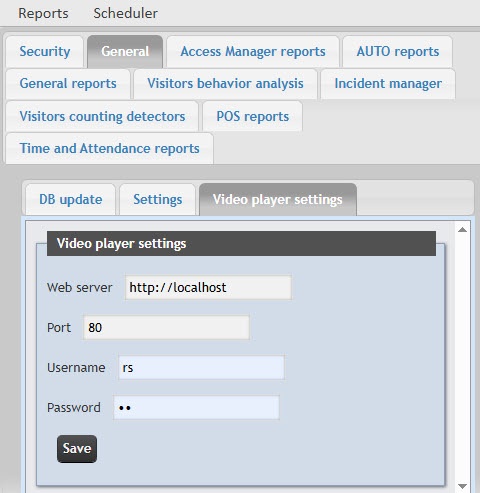
- In the Web server field, enter the IP address of the server on which the Web-server module is configured (for details, see Configuring the Web-server module). The default value is http://localhost.
In the Port field, enter the port for connecting to the HTTP server that is specified on the settings panel of the Web-server object (see Parameters of connecting Clients to the Web-server).
- In the Username and Password fields, enter the username and password of the Axxon PSIM user, who has the rights to perform video surveillance from a web browser. If you log into Axxon PSIM without authorization, leave the field blank.
- Click Save to apply the changes.
The video player is configured.


