
Go to documentation repository

Previous page Next page

When the object tree is created automatically, there is the search for devices connected to the Server and corresponding objects are created under the Forteza object in ACFA Intellect object tree.
Automatically create the object tree as follows:
- Go to the Forteza object settings panel.
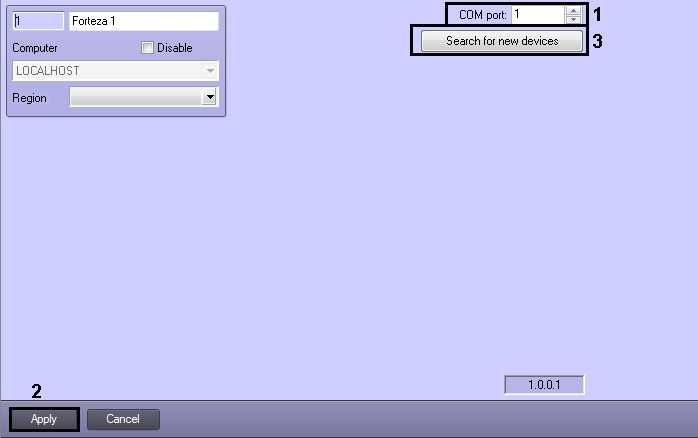
- In the COM port field specify the number of port to connect Forteza PID to the Server (1).
- Click the Apply button (2).
- Click the Search for new devices button for configuration reading and automatic creation of the object tree (3).
Automatic creation of the object tree is completed.
Overview
Content Tools