
Go to documentation repository

Previous page Next page

Setting up the TREZOR-BL input board is performed in the following way:
- Go to the BL Input (Trezor) object settings created on the base of the BL (Trezor).
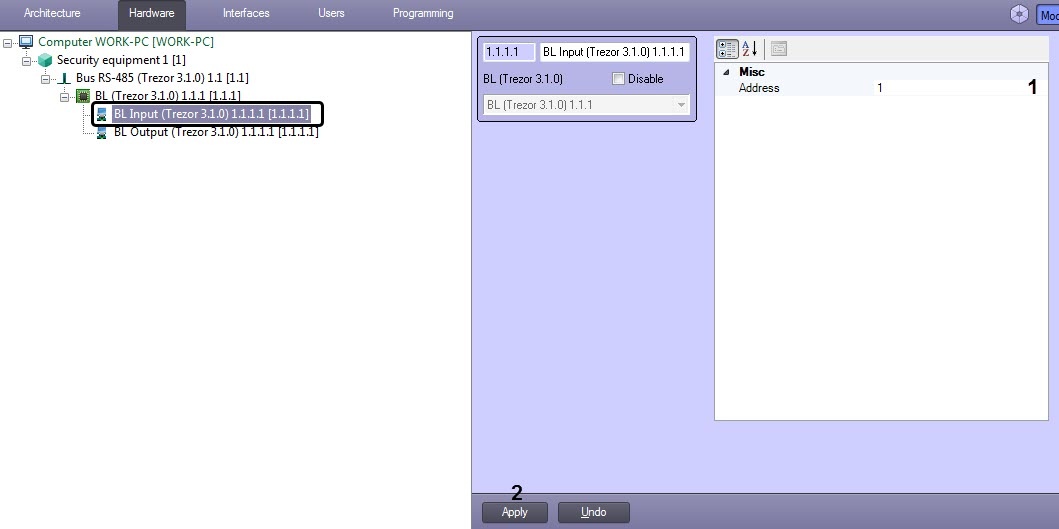
- Specify the input number (from 1 to 4) for the Address parameter (1).
- Click Apply (2).
The TREZOR-BL input board setting has been finished.
Overview
Content Tools