
Go to documentation repository
Previous page Next page
To edit a role:
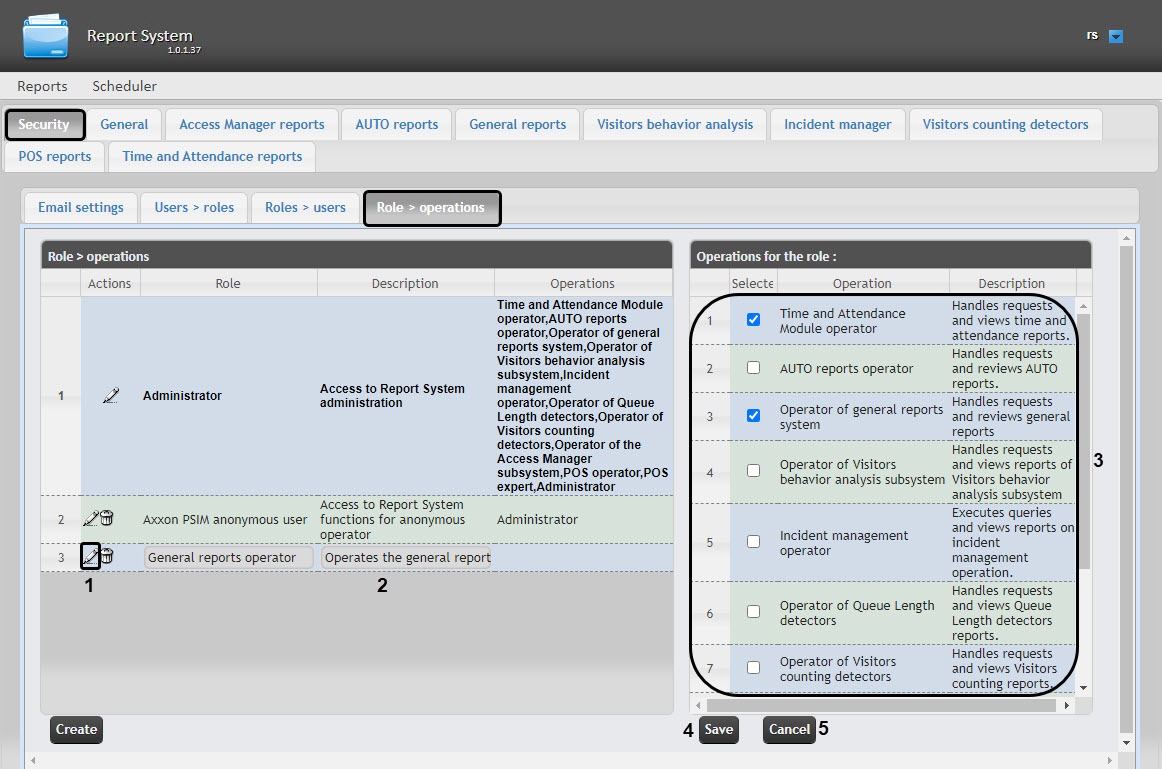
 button (1) next to the required role.
In the Description field, you can edit a brief description of operations that are available for users in this role (2).
In the Operations for the role table (3) in the Selected column, you can edit the list of operations that are available for users in this role by setting or clearing the corresponding checkboxes.
To save the changes to role parameters, click the Save button (4).
Note
To cancel the changes, click the Cancel button (5).
Role editing is complete.

