
Go to documentation repository


On the page:
General information
This action allows executing macros depending on whether or not the previous action is finished within the specified time.
Configuring an action
To configure this action, do the following:
- Go to the Programming tab.
- In the Event rules or Cycle rules list, click Create... (see Configuring macros).
- If necessary, select a start condition that triggers a macro (see Configuring start conditions).
- Click the
 button below start conditions.
 - From the drop-down list, select Programming: Wait till previous action finishes.
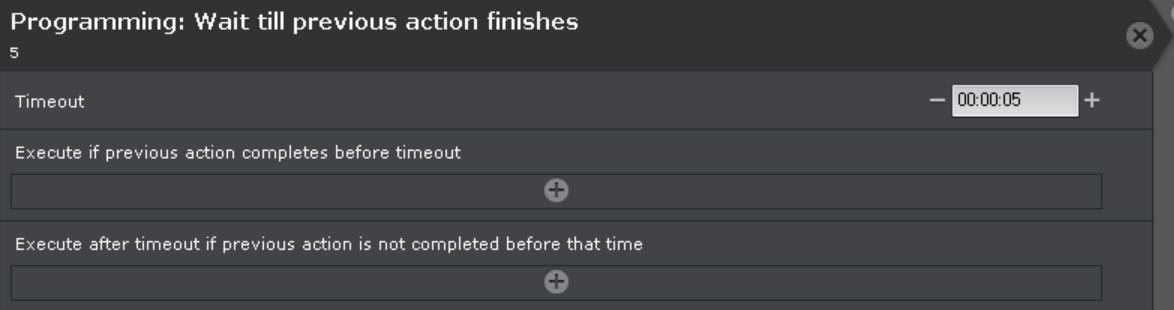
- In the Timeout parameter, set the time to wait for the previous action to be executed in HH:MM:SS format. If you set the time to 00:00:00, the wait time is infinite.
- Specify the action that must be executed if the previous action:
- Completes within the wait time specified in the Execute if previous action completes before timeout parameter.
- Doesn't complete within the wait time specified in the Execute after timeout if previous action is not completed before that time parameter. If the wait time is 00:00:00, this parameter isn't relevant.
Attention!
The Wait till previous action finishes macro doesn't apply to actions below (outside) this command.
- Click the Apply
 button.
Configuration of the Wait till previous action finishes action is complete.
Example use for a Cycle rules macro
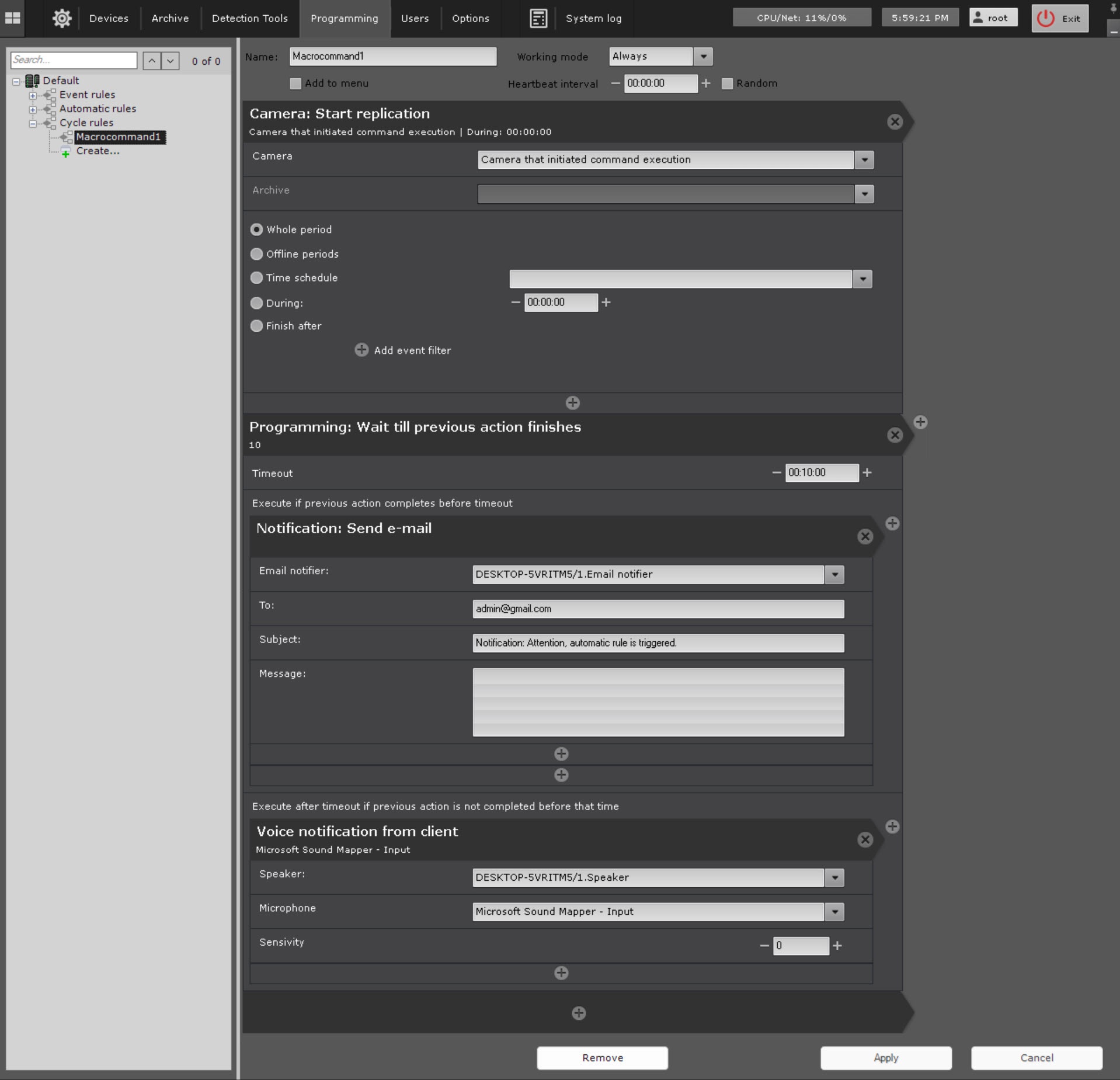
This macro starts replication and the program on the client simultaneously. If replication completes within 10 minutes, an email notification is sent, if not, a voice notification is played.
Overview
Content Tools