
Go to documentation repository

Documentation for Monitoring PSIM 2.0 (english)
Previous page Next page

To play back a video and an archive from a specific camera, select the name of the required camera in the Video image playback object context menu (see Viewing live video and archive from objects).
After you select a camera, the dialog window starts, in which an image appears within several seconds.
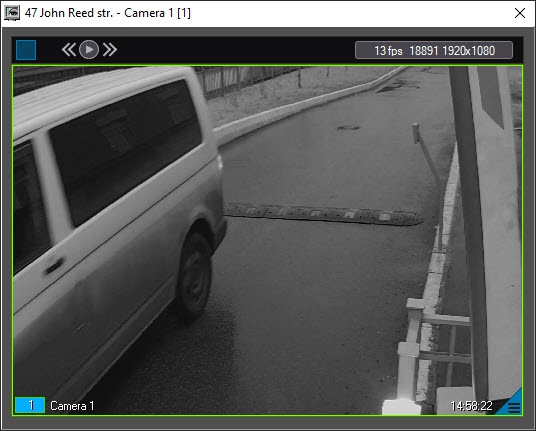
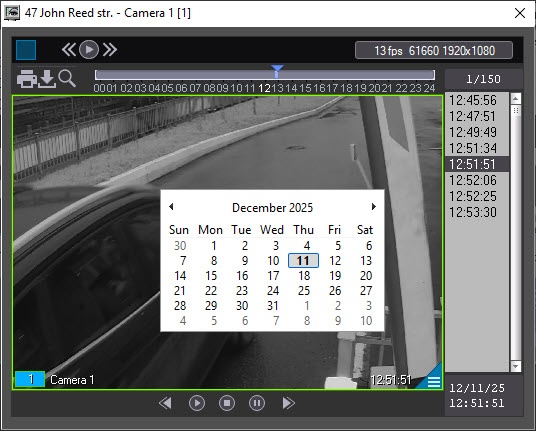
The window's title shows the description of the object, the camera name, and the camera ID in brackets. You can access the archive using the standard method for Axxon PSIM.
Note
- To view live video in full-screen mode, double-click it.
- To exit the full-screen mode and go back to the window playback mode, do the following:
- double-click the video using the right mouse button. You can use it both for specific cameras and for "All cameras" or "All cameras of the partition of control" modes;
- double-click the left mouse button while holding down the Ctrl key. You can use it only for specific cameras or layouts.
For details on how to work with surveillance windows and archives, see Axxon PSIM Software Package: Operator's Guide.
- When you view live video, the frame rate can be limited by the settings of the Monitoring interface object (the Video stream speed parameter), see Monitoring PSIM Software Package: Administrator's Guide.
- By default, videos and frames are exported to the <Axxon PSIM installation directory>\export folder. To change the folder for the exported videos and frames, specify the required path in the StreamViewerExportPath parameter of the HKEY_LOCAL_MACHINE\SOFTWARE\BitSoft\VHOST\VHostService registry key (see Vertical solutions; for information on how to work with the registry, see Working with Windows OS registry).
- By default, the StreamViewer live video viewer module runs with normal (medium) priority. To lower the priority, change the value of the StreamViewerLowestPriority parameter of the HKEY_LOCAL_MACHINE\SOFTWARE\BitSoft\VHOST\VHostService registry key (see Vertical solutions; for information on how to work with the registry, see Working with Windows OS registry).
Overview
Content Tools