
Go to documentation repository
Previous page Next page
To configure the Crowd detection (VA) module, do the following:
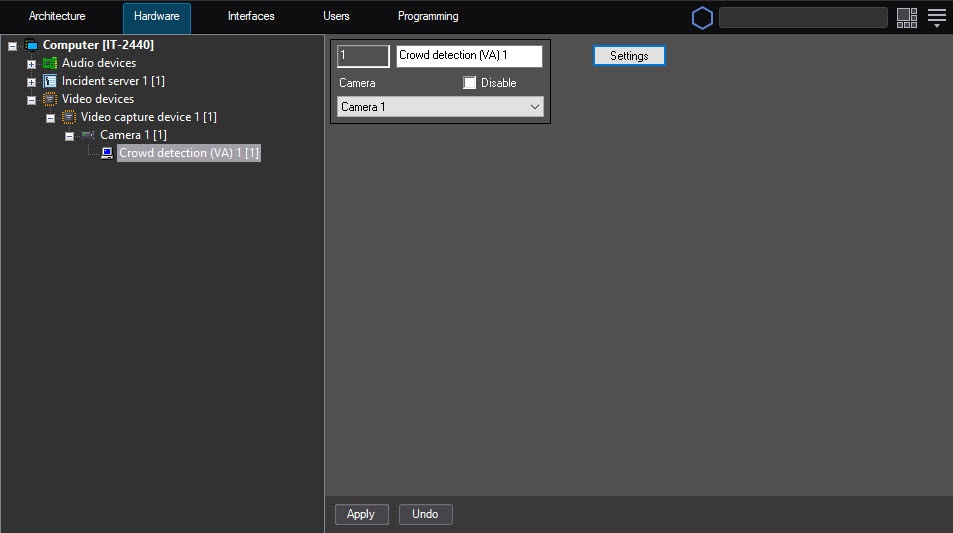
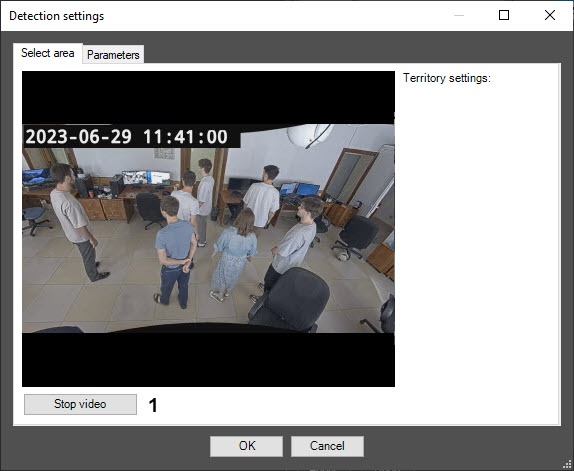
On the captured frame (2), left-click to specify the areas, the situation of which must be analyzed. You can add up to three areas. They are highlighted with a red frame.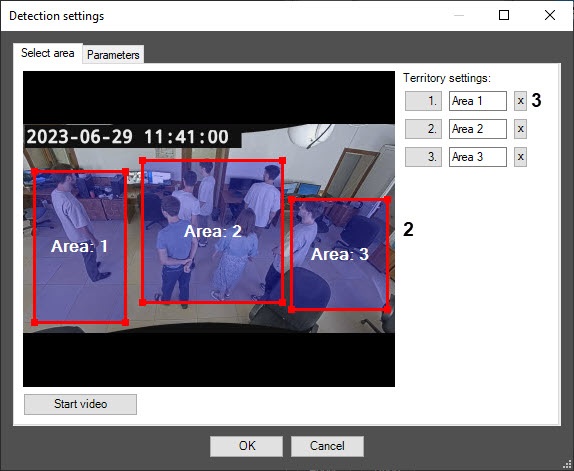
Note
To delete an area, click the  button next to the corresponding area (3).
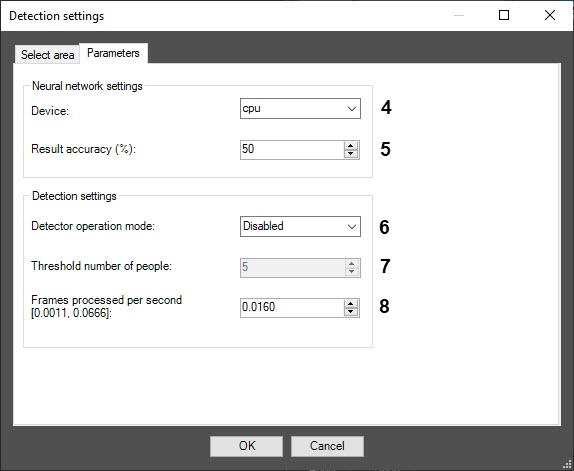
In the Frames processed per second [0.0011, 0.0666] field (8), enter the number of frames per second that the detector processes. At the minimum value of 0.0011 the video image is analyzed once every 15 minutes; at the maximum value of 0.0666, once every 15 seconds.
Note
You can see all events received from the Crowd detection (VA) object in the Event viewer interface window.
When you create the crowd detection (VA) detector, it starts in a separate process (the IsProcessObject=1 parameter value of the HKEY_LOCAL_MACHINE\SOFTWARE\WOW6432Node\AxxonSoft\Axxon PSIM\DetectorExt\CROWD_ESTIMATION registry key. For more details, see the registry key guide on the Vertical solutions page; for information on how to work with the registry, see the Working with Windows OS registry subsection).
Configuring the Crowd detection (VA) module is complete.

