
Go to documentation repository

Documentation for Axxon PSIM 2.0. Documentation for other versions of Axxon PSIM is available too.
Previous page Next page

Example of an HTML page that allows you to view video from a specified camera and view the archive from a specified date and time.
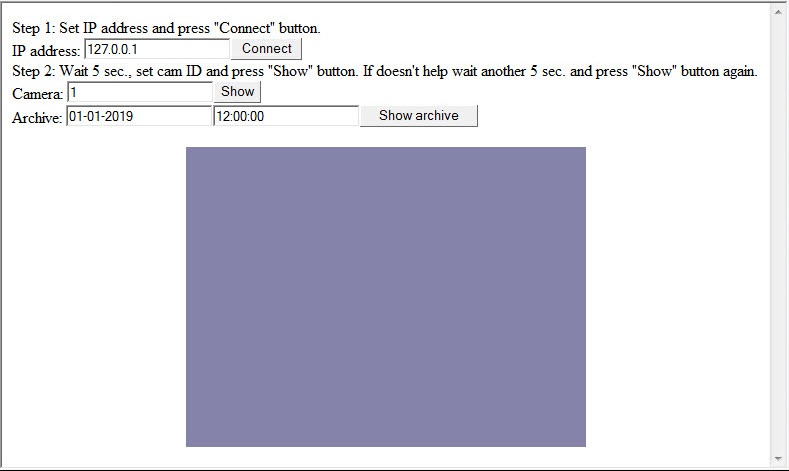
<HTML>
<HEAD>
<META NAME="GENERATOR" Content="Microsoft FrontPage 5.0">
<meta http-equiv="Content-Type" content="text/html; charset=windows-1251">
<TITLE></TITLE>
<SCRIPT ID=clientEventHandlersJS LANGUAGE=javascript>
<!--
function Arch_onclick()
{
    CamMonitor1.DoReactMonitor("MONITOR||ARCH_FRAME_TIME|cam<"+cam.value+">,date<"+date.value+">,time<"+time.value+">")
}

function Connect_onclick()
{
    CamMonitor1.KeysOptions=0;
    CamMonitor1.Connect(ip.value, "", "", "", 0);
}

function ShowCam_onclick()
{
    CamMonitor1.SetCallBackOptions(cam.value,1);
    CamMonitor1.ShowCam(cam.value,0,1);
}

function main()
{
    ip.value="127.0.0.1";
    cam.value = 1;
	date.value="01-01-2019";
	time.value="12:00:00";
}

//-->
</SCRIPT>
</HEAD>
<BODY onload="main()" >
Step 1: Set IP address and press "Connect" button.<br/>
IP address: <INPUT id=ip name=ip><INPUT type=button value="Connect" LANGUAGE=javascript onclick="return Connect_onclick()"><br/>
Step 2: Wait 5 sec., set cam ID and press "Show" button. If doesn't help wait another 5 sec. and press "Show" button again.<br/>
Camera: <INPUT id=cam name=cam><INPUT type=button value="Show" LANGUAGE=javascript onclick="return ShowCam_onclick()"><br/>
Archive: <INPUT id=date name=date><INPUT id=time name=time><INPUT type=button value="Show archive" LANGUAGE=javascript onclick="return Arch_onclick()"><br/>

      <p align="center"><object classid="clsid:3A41B075-E368-4F94-9E59-5F26DC102BF4" id="CamMonitor1" width="400" height="300"/></p>

    <script for="CamMonitor1" event="OnCamListChange(cam_id, action)">
<!--
        if(cam_id == 1 && action == 0)
        {
            CamMonitor1.ShowCam(1,0,1);
        }
-->
    </script>
    <script for="CamMonitor1" event="OnConnectStateChanged(state)">
<!--
    alert("New connection state=" + state);
-->
    </script>
</BODY>
</HTML>
Overview
Content Tools