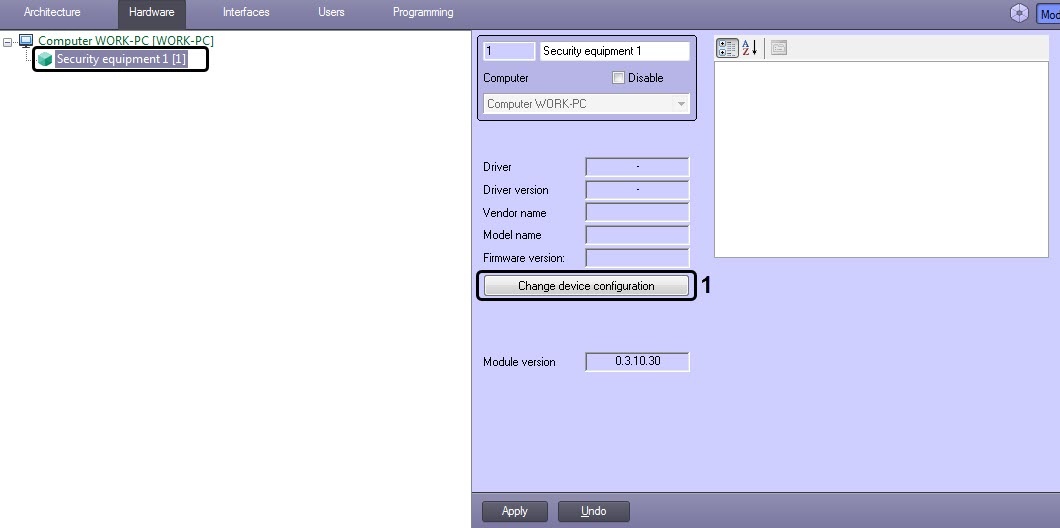
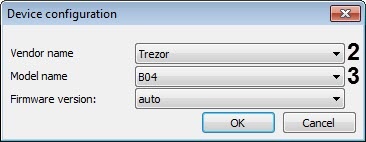
Select a Trezor device model from the Model name drop-down list (3).
Firmware version field is filled automatically. |
Specify the COM-port for the COM port parameter (5) to which the Trezor controller is connected. To identify the COM-port number go to the Windows Device Manager.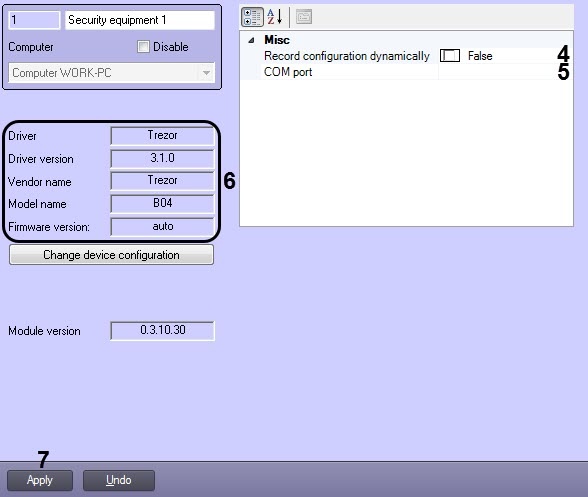
Device characteristics are automatically read and specified in the area (6). |
Click Apply (7).
After clicking the Apply button, an object tree will be created corresponding to the Trezor PIDS configuration. |