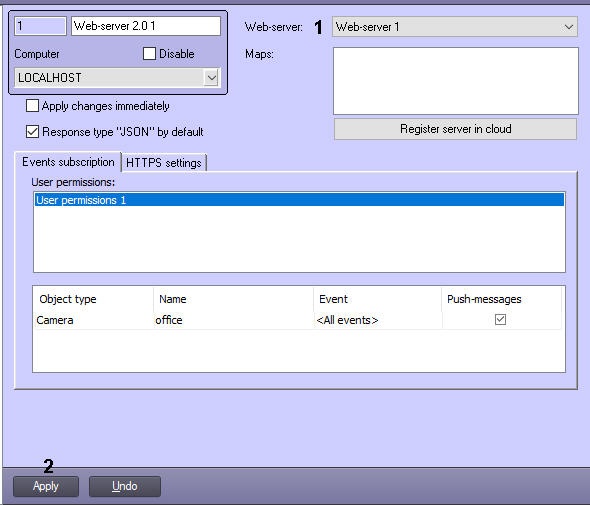
The Web-server object is to be created and configured for correct working of Web server 2.0 module (see Configuring the Web-server module section). The Web-server 2.0 object uses the settings of the bound with it Web-server object.
Binding the Web server 2.0 to the Web server is performed the following way:
Binding the Web-server to the Web server 2.0 object is completed.