Go to the Advanced settings tab (1) on the settings panel of the Face recognition server object.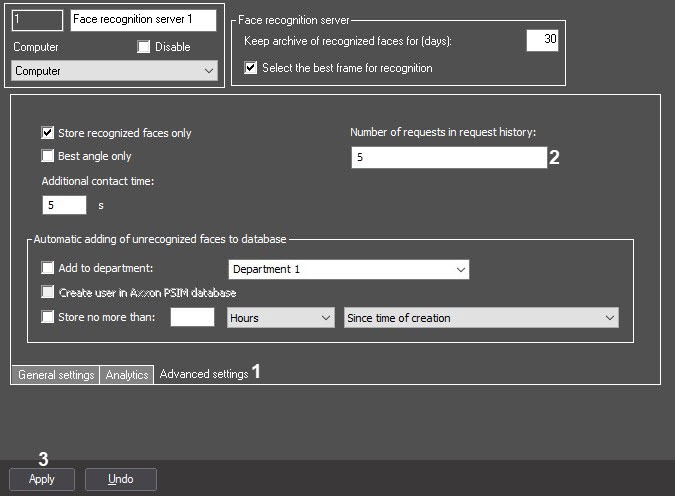
Click the Apply button (3) to save the changes.
If you actively use the search, but you don't need the old results or only want the latest results, you can configure the automatic deletion of the requests from the request history. For this, do the following:
Go to the Advanced settings tab (1) on the settings panel of the Face recognition server object.
Click the Apply button (3) to save the changes.