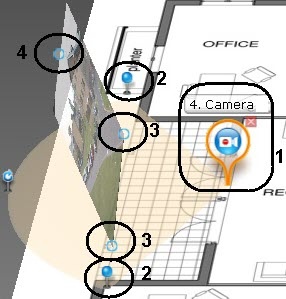
On the map, use the corner nodes to adjust the video camera's field of view to match the actual situation at the site (2).
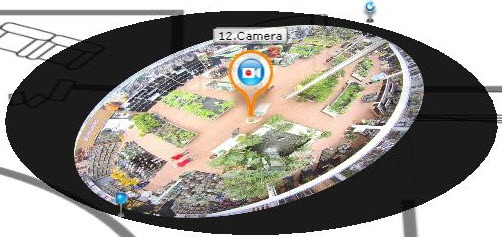
For ceiling-mounted fisheye cameras (see Configuring fisheye cameras), you are advised to set a 360° field of view. If you do so, the video from the camera will be directly available in the specified area:
To enable this feature on cameras with ImmerVision lenses, PTZ display mode must be chosen (see Configuring fisheye cameras). |
Configure the area for video display:
| The video display area is not available for ceiling-mounted fisheye cameras. |
