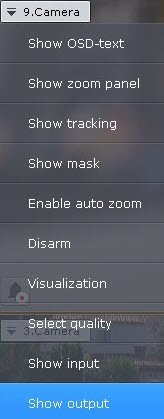
To control an output, select Show output in the context menu of the Surveillance window.
| You must first activate an object before you can control its output. |
As a result, the output toggle is displayed.
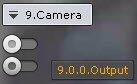
To hide the toggle, select Hide output in the context menu of the Surveillance window. |
You can change the output state by clicking the toggle.
| If a output is controlled by several operators simultaneously, the output remains activated as long as at least one operator requires it. |
Output toggle | Output status |
| Normal |
| Activated |

