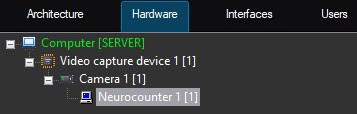
Configuration of the Neurocounter module includes: configuring the detection tool, selecting the area of interest. You can configure the Neurocounter module on the settings panel of the Neurocounter object created on the basis of the Camera object on the Hardware tab of the System settings dialog window.
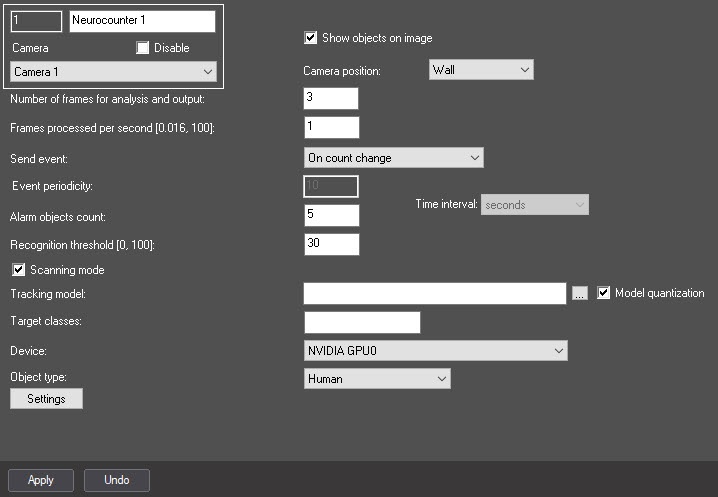
In the Recognition threshold [0, 100] field, enter the neurocounter sensitivity—integer value from 0 to 100. The default value is 30.
The neurocounter sensitivity is determined experimentally. The lower the sensitivity, the higher the probability of false alarms. The higher the sensitivity, the lower the probability of false alarms, however, some useful tracks can be skipped (see Example of configuring Neurocounter for solving typical task). |
 button to the right of the Tracking model field and in the standard Windows Explorer window, specify the path to the file.
To train a neural network, contact the AxxonSoft technical support (see Data collection requirements for neural network training). A neural network trained for a specific scene allows you to detect objects of a certain type only (for example, a person, cyclist, motorcyclist, and so on). |
|
|
|
Neural networks are named taking into account the objects they detect. The names can include the size of the neural network (Nano, Medium, Large), which indicates the amount of consumed resources. The larger the neural network, the higher the accuracy of object recognition. |
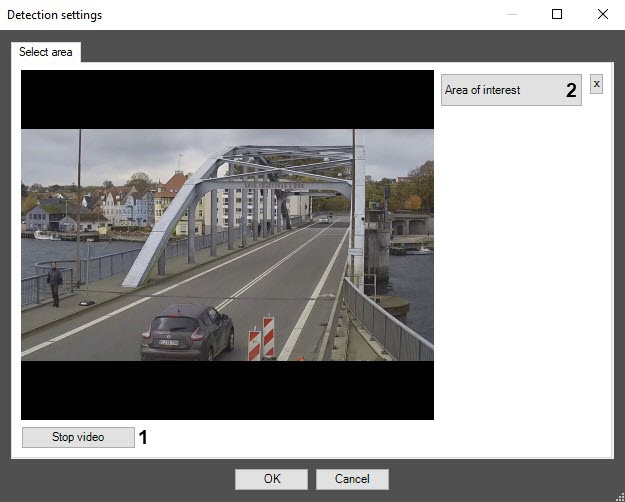
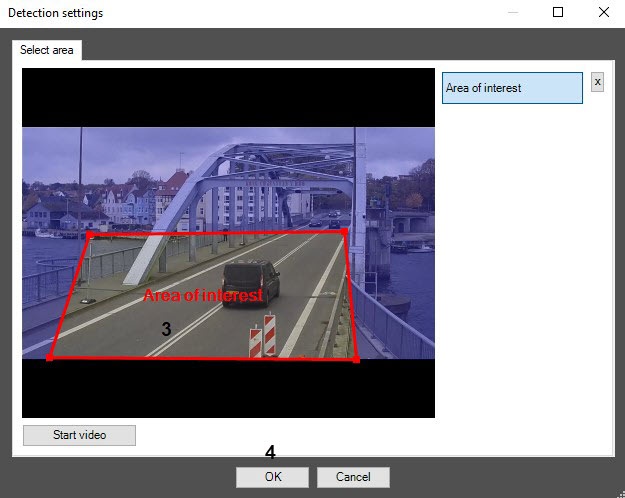
|
 button to save the changes.
Configuring the Neurocounter module is complete.
 button to the right of the