The Detection of light indication control module registers the light indication enabling and disabling in the camera FOV.
Configuration of the Detection of light indication control module includes: selection of video detection areas, specifying the detector parameters.
You can configure the Detection of light indication control module on the settings panel of the Detection of light indication control object that is created on the basis of the Camera object on the Hardware tab of the System settings window.
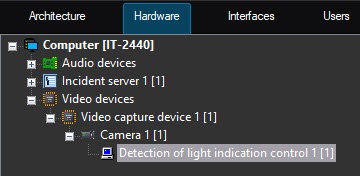
Selecting video detection areas
- Go to the settings panel of the Detection of light indication control object.
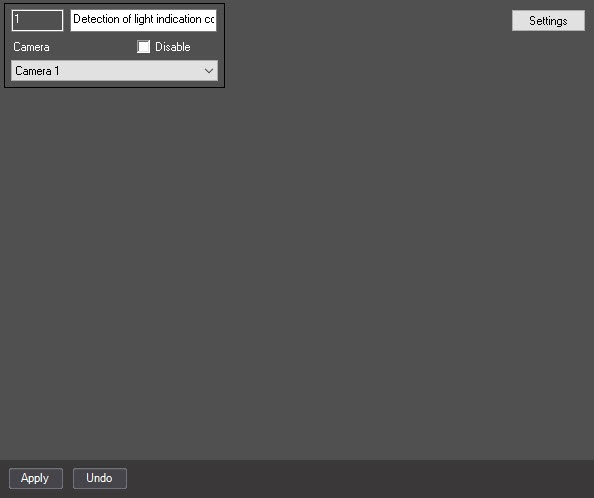
- Click the Settings button. The Detection settings window opens.
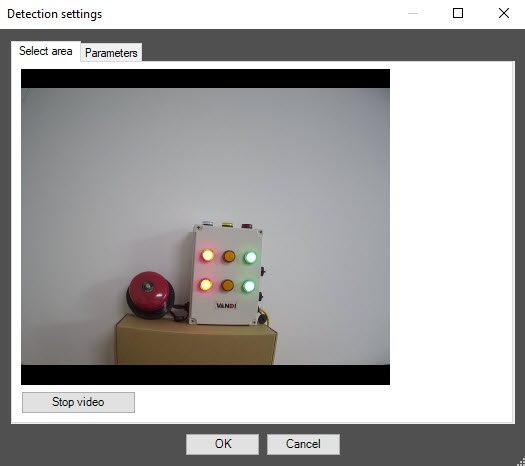
- In the Detection settings window, click the Stop video button to pause the playback and capture the video image.
- On the video image, specify the location of the light sources that you want to monitor with the detector. For this, on the captured video image, specify detection areas by clicking in the frame and stretching the bounding border to the required size. The detection areas are numbered in the order of creation, starting from one. When you add an area, the button corresponding to this area is displayed to the right of the video image.
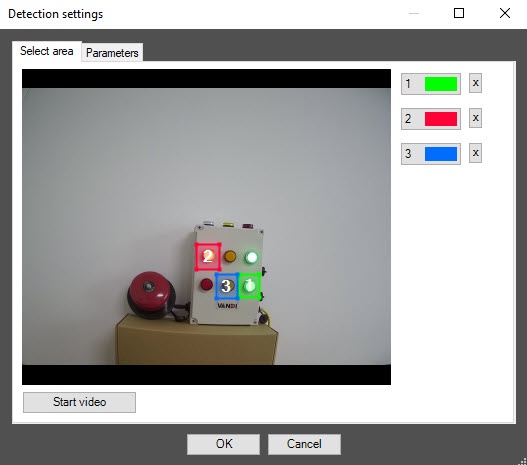
- The number of detection areas is unlimited.
- You can change the size and position of detection areas by moving their borders with the mouse.
- Note that changes in local illumination and reflective surfaces near lamps that are in the detection area can cause false event generation of the detector.
- To correctly specify the detection area, you must include in it a small part of the area near the light source.
- To change the borders of the detection area, activate it by clicking the button with its number in the list of areas (the button changes its color to blue) and resize the area on the video image.
- To delete an area, click the
 button to the right of the area number. button to the right of the area number.
|
Detector parameters
- Go to the Parameters tab.
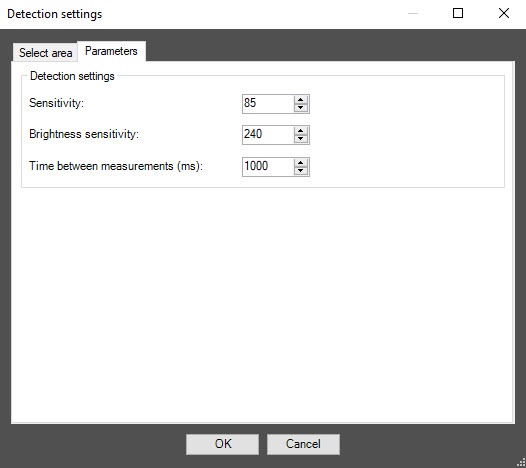
- In the Sensitivity field, specify the detector sensitivity to the video image change in the range from 0 to 100. You must select the optimal value experimentally by testing the detector on event generation in the required conditions. The higher the sensitivity, the higher the probability of false event generation. The lower the sensitivity, the greater the probability of missing an event. The default value is 85.
- In the Brightness sensitivity field, specify the detector sensitivity to the light source state change. The default value is 240. You must select the optimal value experimentally by testing the detector on event generation in the required conditions. For a dim light source, we recommend increasing the value of the parameter.
- In the Time between measurements (ms) field, specify in milliseconds the time interval between two measurements of light indication. The default value is 1000.
- Click the OK button to save the detector changes and close the Detection settings window.
- Click the Apply
 button to save the changes on the settings panel of the Detection of light indication control object.
Configuring the Detection of light indication control module is complete.