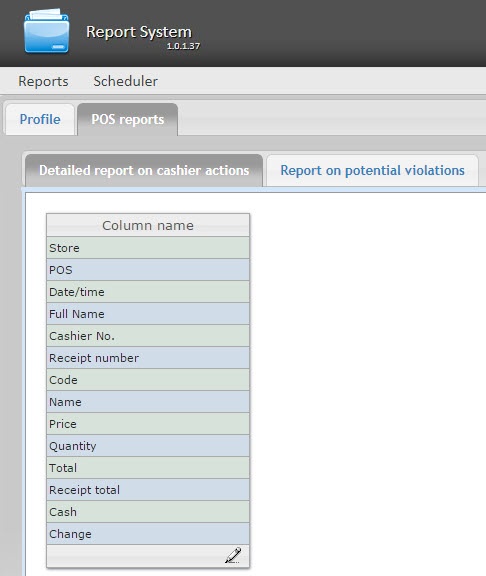
A unique interface of POS reports can be configured for every user.
User interface setup is performed on the Profile > POS reports tab.
To edit the list of columns in the report, do the following:
 icon at the bottom of the list.
  and remove the unnesserary ones by clicking
  . It is possible to add/remove all the columns.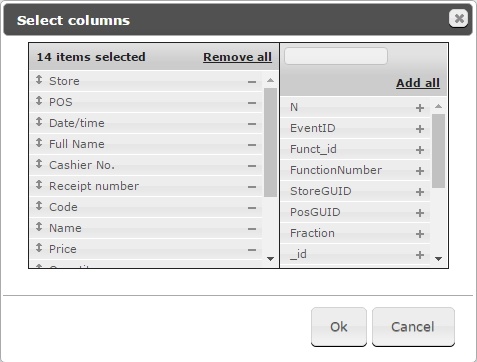
The list of columns can be edited in a similar way by clicking the Edit columns button right on the report page.