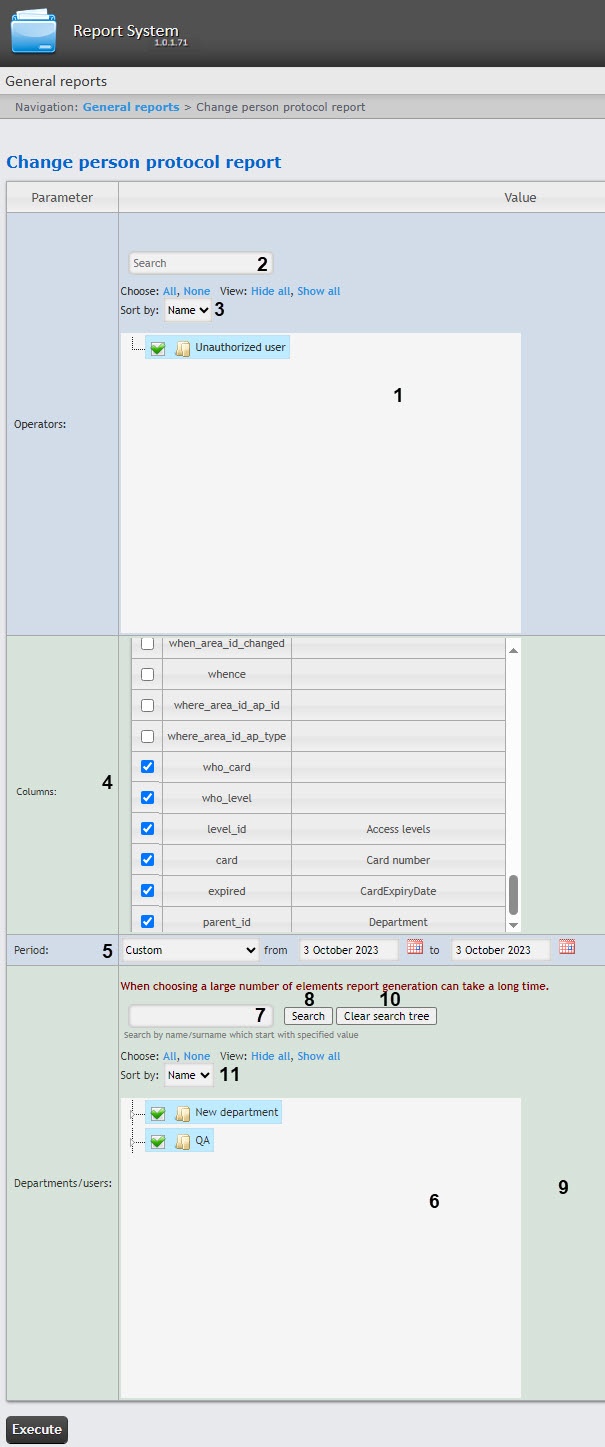
To create this report, select the Change person protocol report from the list of General reports (see Selecting the type of general report). Specify report parameters in the form that opens.
You can find an operator using the search (2). The search starts from the first character, the result is highlighted in a different color.
 button near the corresponding field to use the Calendar. If you select Custom 2 period, enter the time of start and end periods for which the report must be created using the
  button.
Example of a Change person protocol report.
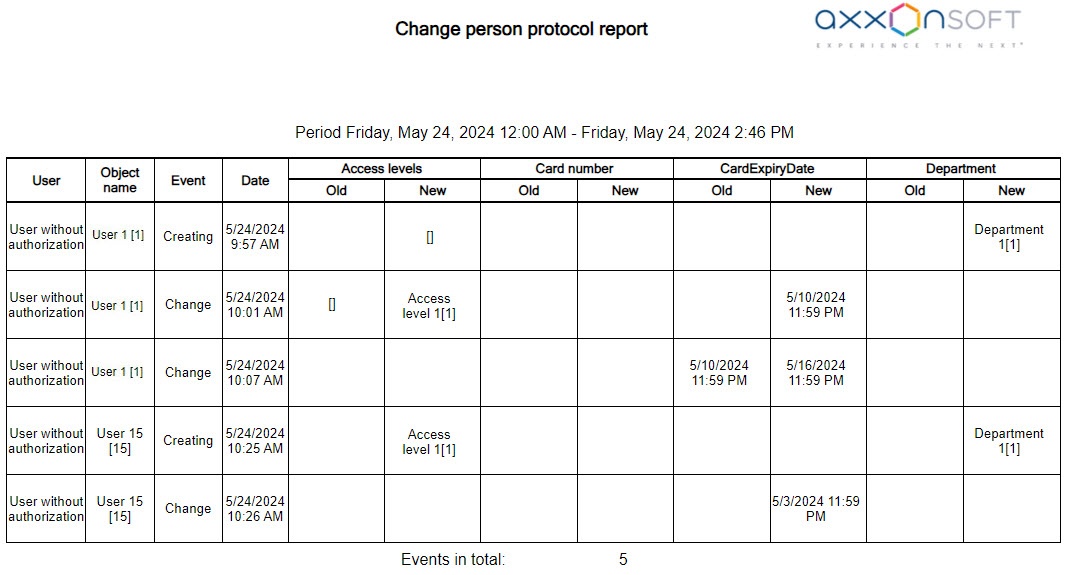
In the Change person protocol report, the Department and Access levels columns are displayed: Department name[id] and Access level name[id], respectively. |