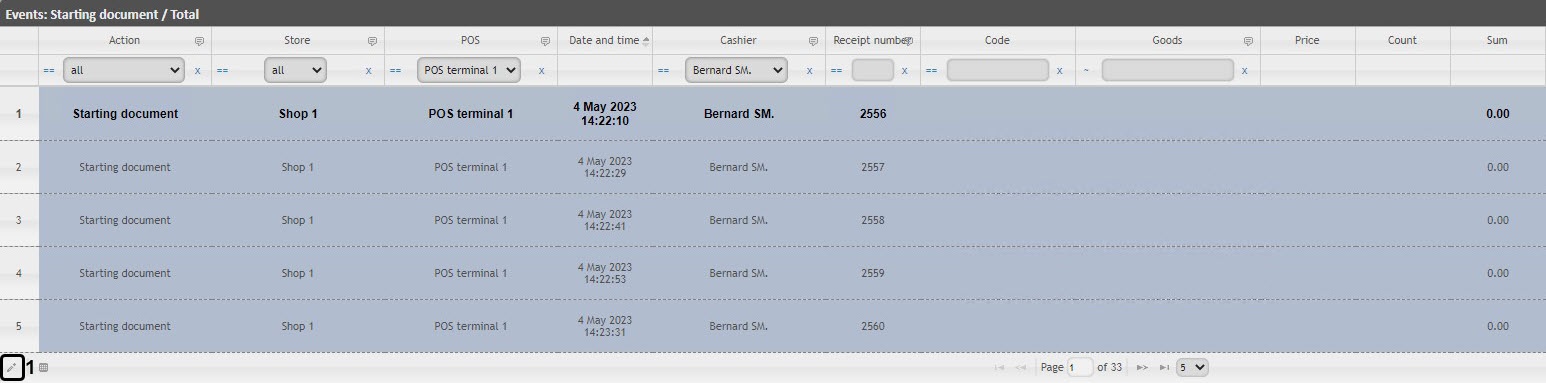
 button (1) or double-click the required event. As a result, the Edit Record window will open.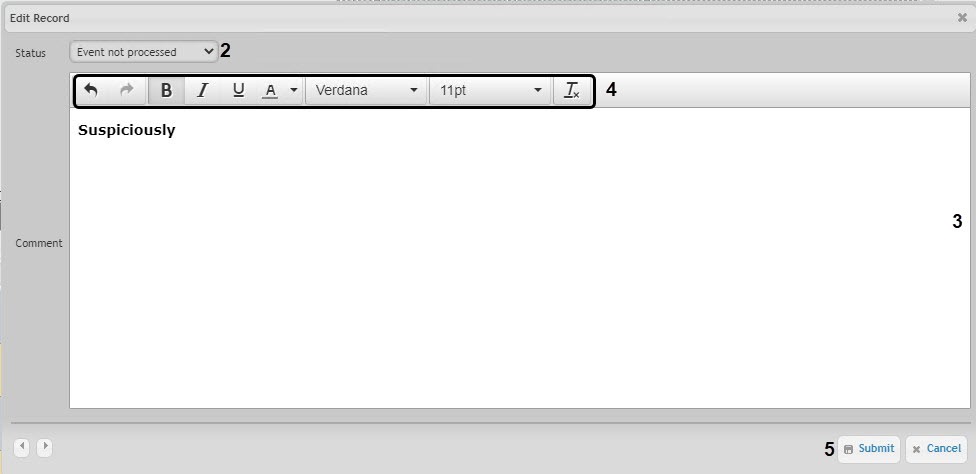
In the Status drop-down list (2) select the required event status.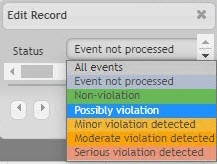
The statuses in the list can be changed (see Setting up the statuses of POS events). |
For this operation the user should be added to the POS expert role. |
In order to change the event status and the comment, do the following:
button (1) or double-click the required event. As a result, the Edit Record window will open.In the Status drop-down list (2) select the required event status.
The statuses in the list can be changed (see Setting up the statuses of POS events). |
As a result, the status for the specified event will be changed and the comment will be specified.
To view a comment, click the ellipsis |

 in the Comment column of the corresponding event. As a result, a pop-up window containing the comment text will appear.