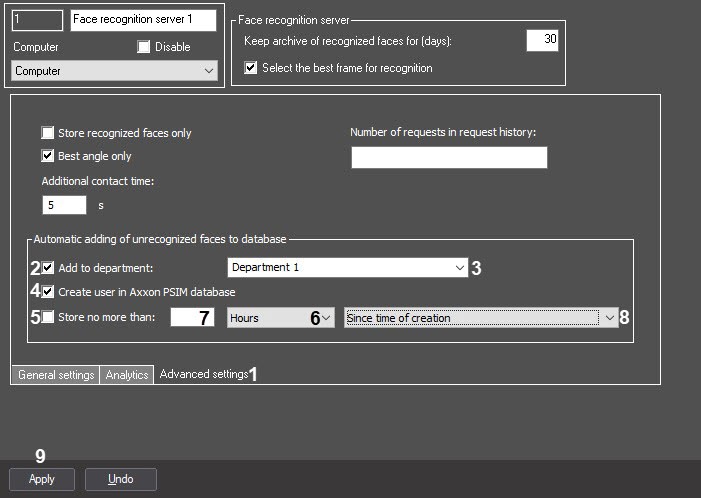
Set the Add to department checkbox (2) and from the drop-down list (3), select the department in which new users are saved.
You can select the department from the existing ones or specify the name of a new department. In this case, a new department is created automatically. If you leave the field blank, a new department isn't created and unrecognized faces aren't added to the face database. |
- From the drop-down list (6), select the storage time unit and enter the required value in the field (7);
From the drop-down list (8), select the start time of user storage.
- After the specified time expires, the automatically created faces are completely deleted and cannot be restored.
- The time limit of a user's storage also applies to the Axxon PSIM user if you set the Create user in Axxon PSIM database checkbox.