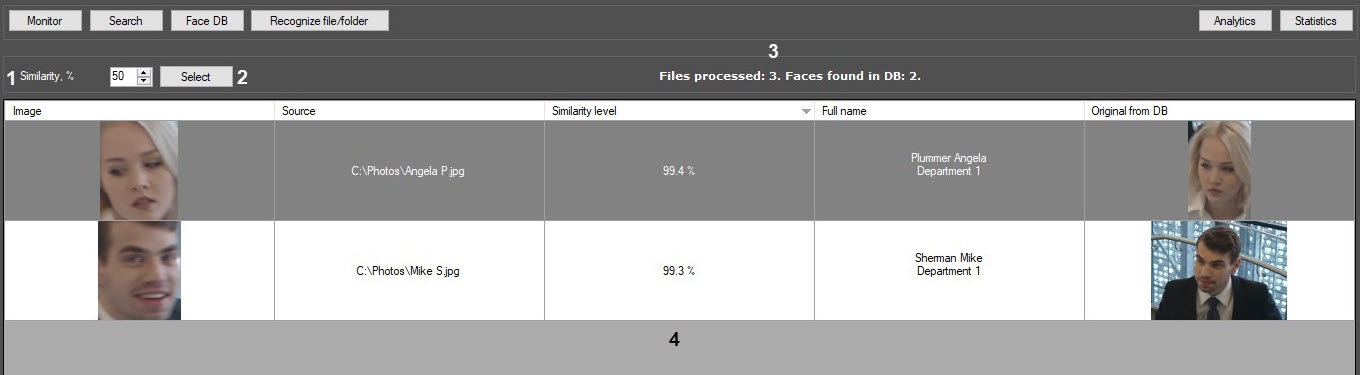
The following figure shows the Recognize file/folder window interface:
The components of the Recognize file/folder interface are described in the following table.
Component number | Comments |
|---|---|
| 1 | The Similarity, % field for specifying the similarity level between the captured face and the reference image in percent. |
| 2 | The Select button for loading the image file or image folder for the search. |
| 3 | The field for displaying the number of the processed files and the number of faces found in the reference database. |
| 4 | The field for displaying the image search results in the reference face database. The following columns are displayed:
|