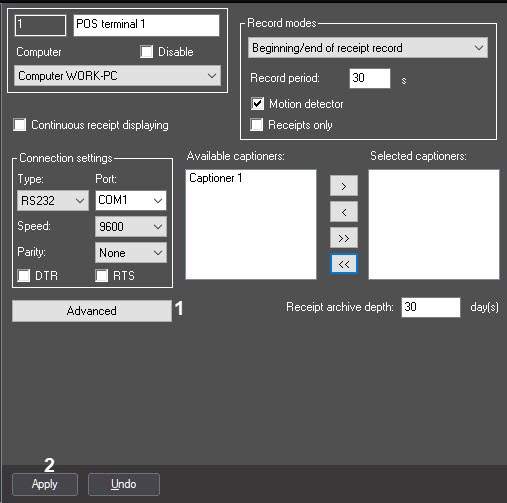
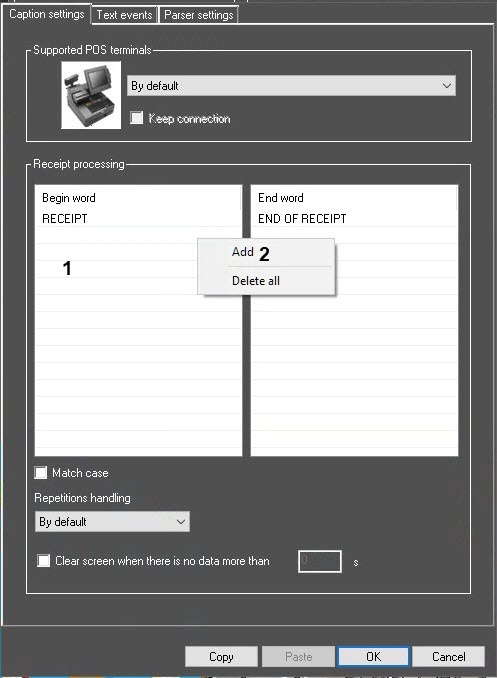
Specify the string of characters (words) denoting the beginning of a receipt. Right-click the Begin word column (1) to open the drop-down menu, click Add (2).
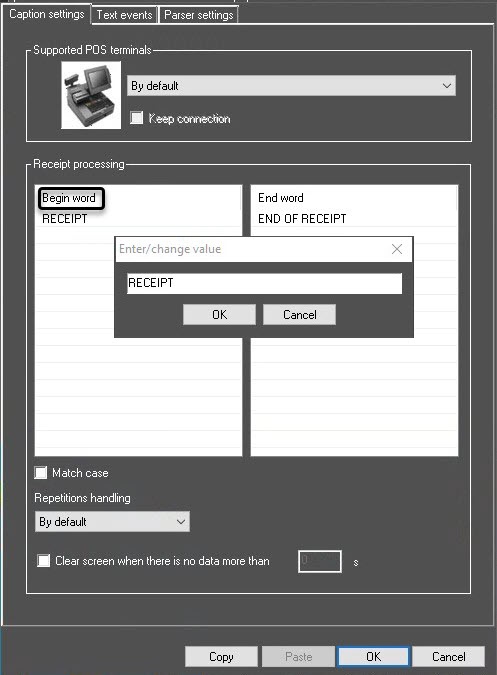
The regular expressions can be also used to denote the beginning of a receipt.
If you need to make the appropriate settings to use the regular expressions, contact the AxxonSoft company. |
Repeat steps 2-3 for all words denoting the beginning of a receipt.
| To modify the words in the table, right-click a word to open the drop-down menu, or use the Copy or Paste buttons. |
In the same way, specify the string of characters (words) denoting the end of a receipt. Right-click the End word column to open the drop-down menu, click Add, then enter the word in the dialog box that opens and click the OK button.
Repeat step 5 for all words denoting the end of a receipt.
| To modify the words in the table, right-click a word to open the drop-down menu, or use the Copy or Paste buttons. |
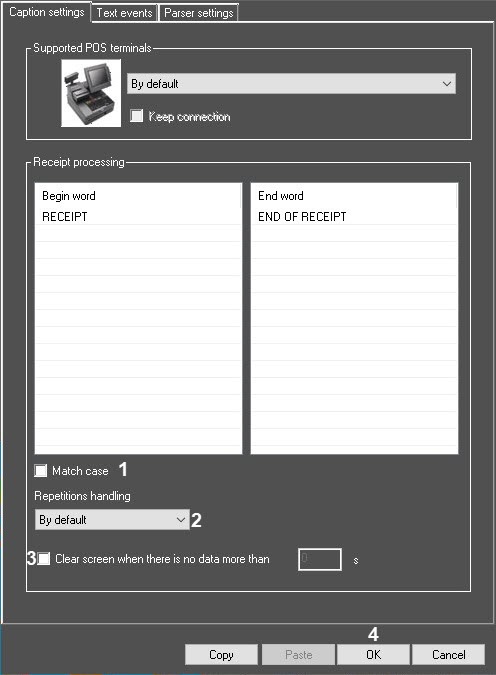
In the Repetitions handling drop-down list, select the Ignore repetitions option to make the system ignore all subsequent receipt begin words unless the end word of the current receipt is received (2).
| To recognize the receipts by the begin word only while ignoring end words, select the By default option in the Repetitions handling drop-down list. |