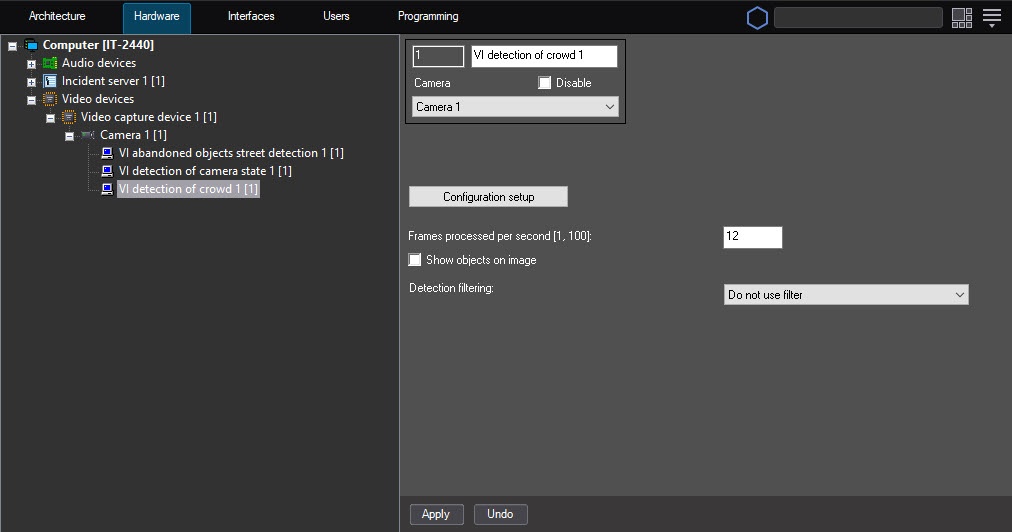
Configuration of the VI detection of crowd module includes general settings and configuration settings: detection zone, configuration parameters, and detector characteristics.
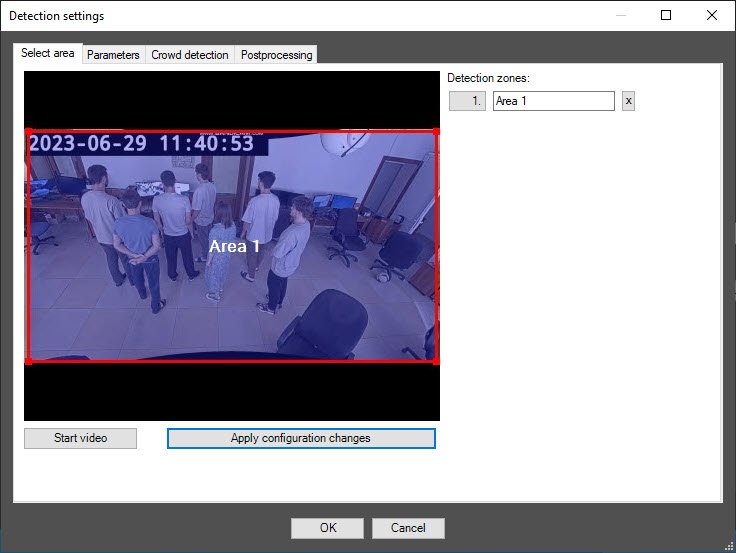
You can specify only one detection zone. To delete a detection zone, click the |
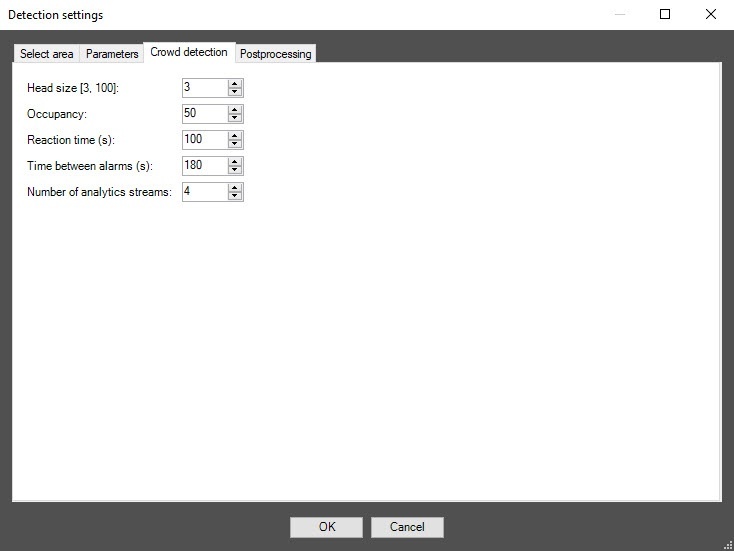
In the Occupancy field, specify as a percentage the share of the detection zone area, which must be filled in order for the detector to record the beginning of the Crowd event. If the occupancy remains longer than the time threshold specified in the Reaction time field, a Crowd alarm event is generated on the detector. The default value is 50.
In the Reaction time field, specify in seconds the time interval after which a Crowd alarm event is generated on the detector if the value of the Occupancy parameter remains equal to or above the set threshold. If during the specified period of time the value of this parameter drops below the threshold value, then the time counting stops and the counter is reset to zero. The default value is 100.
In the Time between alarms field, specify in seconds the frequency of a Crowd alarm event generation. The default value is 180.
Configuration of the VI detection of crowd module is complete.
 button to the right of the zone name.