To configure the Traffic analysis monitor window, do the following:
- Go to the Interfaces tab of the System settings window.
- Select the Traffic analysis monitor object in the object tree.
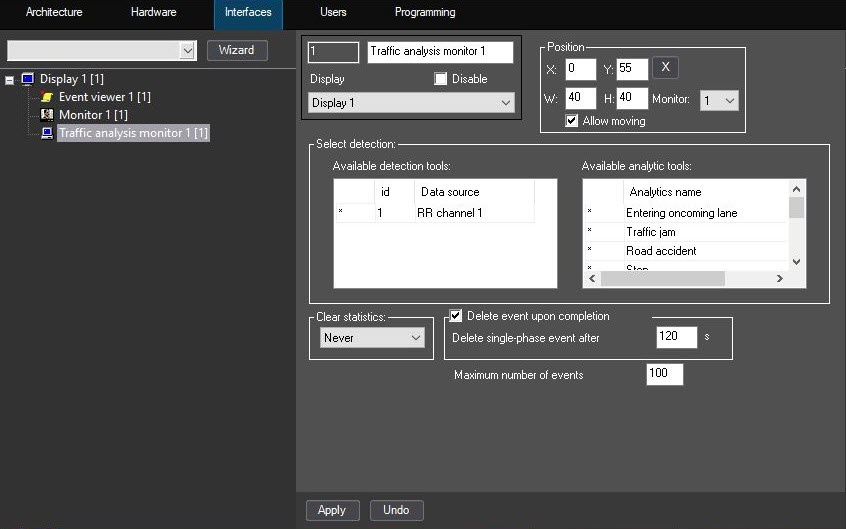
- Select the required detectors by moving them from the Available detection tools to the Available analytic tools list with navigation buttons.
- If necessary, change the periodicity of the statistics cleaning by selecting it from the Clear statistics drop-down list:
- Never (default)—statistics isn't cleared,
- Each day.
- Each week.
- Each month.
- The Delete event upon completion checkbox is set by default. If you don't want to delete events upon completion, clear the checkbox.
- If you set the Delete event upon completion checkbox, the Delete single-phase event after _ s field becomes available for editing. The default value is 120.
- Specify the value in the Maximum number of events field. The default value is 100.
- Click the Apply button to save the settings.
Selecting detectors for the traffic analysis is complete.