First, you must create and configure this camera in Axxon PSIM. |
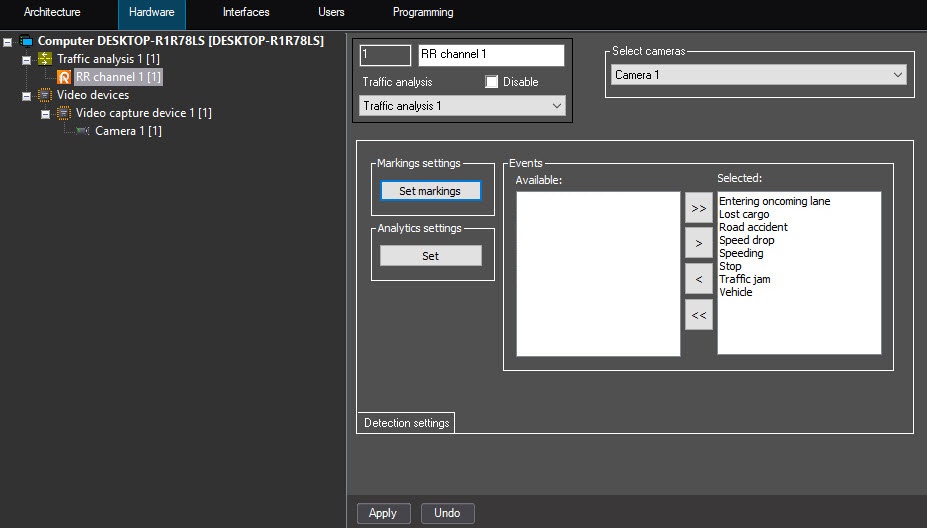
To select a camera for the operation with the PR channel, do the following:
First, you must create and configure this camera in Axxon PSIM. |
Selecting cameras for the operation with the PR channel is complete.