The Change history function allows restoring the object settings.
The history of changes is individual for each object and is saved after its recreation. |
To restore the object settings, do the following:
- In the objects tree, select the object that you want to restore.
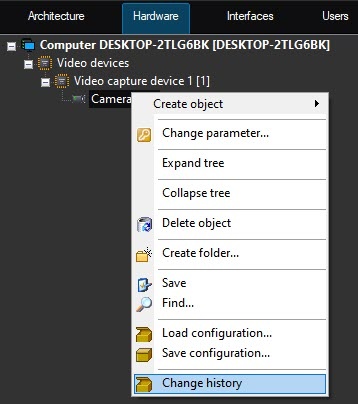
- Open the context menu using the right mouse click.
- Select the Change history menu item.
- In the Settings restoration window, select from the list the required version of object changes by the date and time of saving.
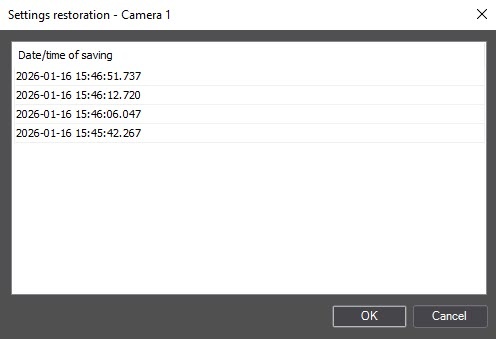
- Click OK.
As a result, the object settings are restored.