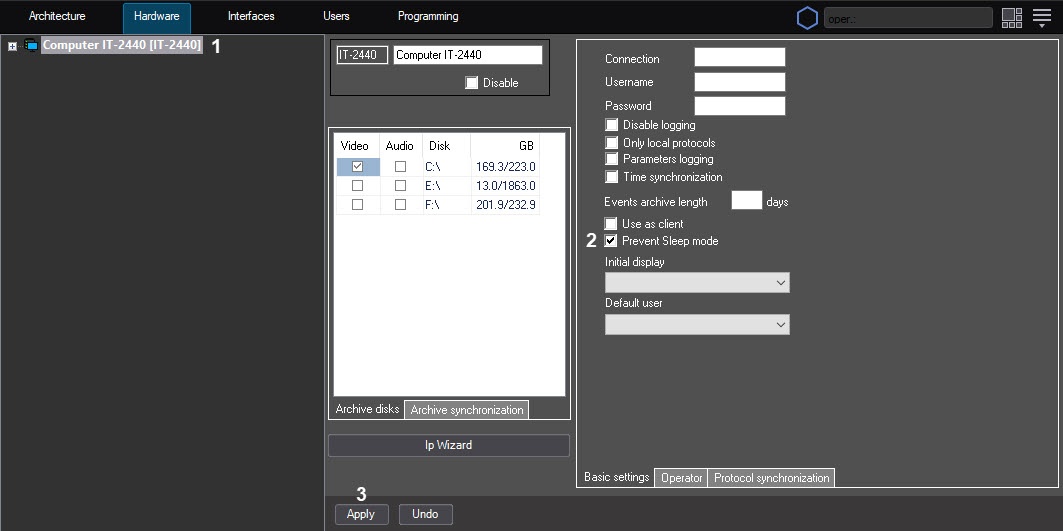
If sleep mode is enabled in Windows OS, you can disable it when Axxon PSIM is running without disabling it directly in the OS. This setting can be useful, for example, if you need to watch videos using Axxon PSIM without any actions from the operator side.
To disable sleep mode when Axxon PSIM is running:
As a result, when Axxon PSIM is running, sleep mode is blocked.