You can use templates when you create a report. To add a new template, click Report templates → New template and fill in the Name and Description fields. The template will use the selected parameters of the current report. Templates work the same way as templates in the scheduler and can be used interchangeably. When you create a response using a template, click Report templates at the top of the page and select the required template from the list of saved templates (the required template is highlighted). As a result, the parameters of the current report are updated according to the selected template. |
The Traffic statistics report allows you to get statistical information on each vehicle type. A vehicle type is a collection of vehicles whose dimensions fall within a certain range.
The Traffic statistics report is a part of the Traffic analysis module. You must create and configure the corresponding object in Auto PSIM (see Traffic analysis module). |
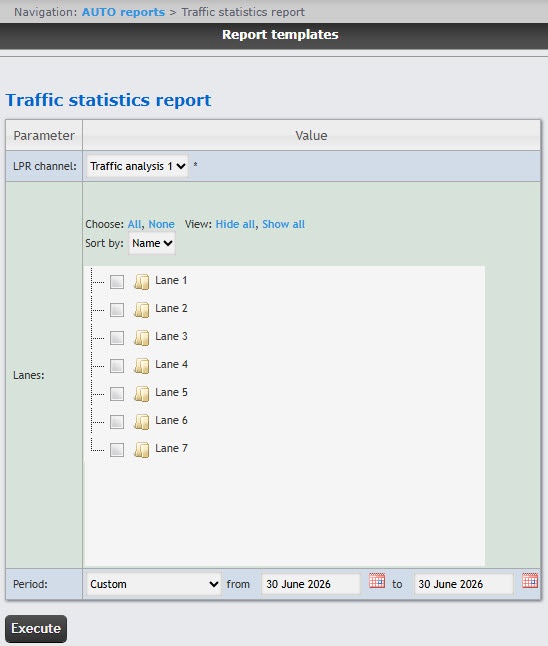
To create the Traffic statistics report, select this report from the list of the AUTO reports (see Select the type of AUTO report) and edit the parameters in the form that opens.
Example of the Traffic statistics report:
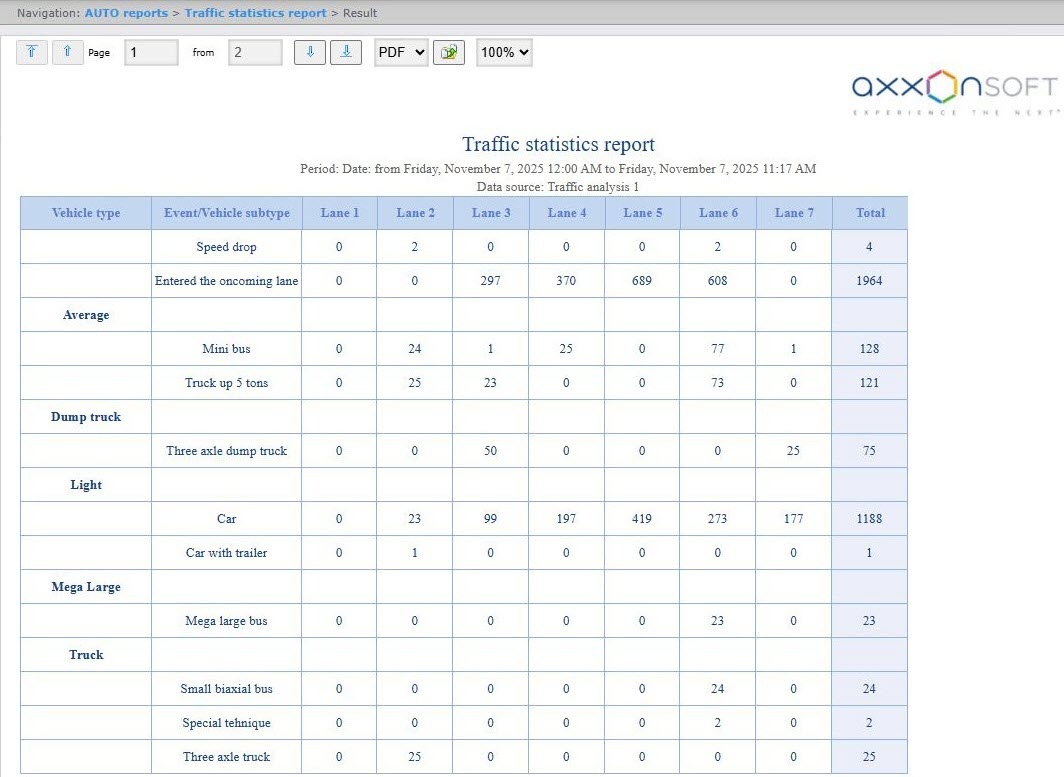
This report for each selected lane and vehicle type contains the following information:
| Column name | Description |
|---|---|
| Vehicle type | Vehicle type |
| Event/Vehicle subtype | Recorded event/vehicle subtype |
| Lane | Traffic lane |
| Total | Total number of recorded events/vehicle subtype |
You can save the report in the following formats:
The Traffic statistics report is created.