To configure the object of the Peridect+ integration module, do the following:
- Go to the settings panel of the Peridect+ object.
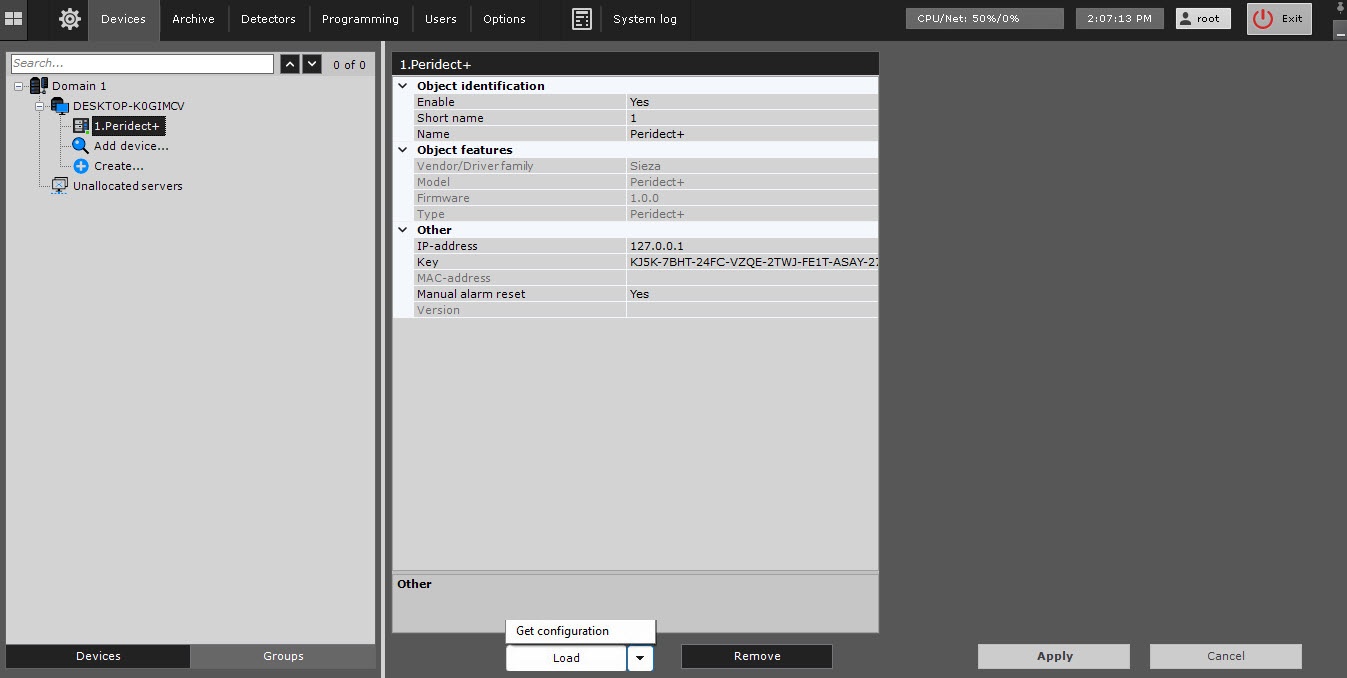
- In the IP-address field, enter the IP address of the Peridect+ Intrusion Detection System.
- In the Key field, enter the unique access key to connect to the Peridect+ device. You can view the device in the settings of the web interface Online Peridect+ configurator (see the manufacturer's official documentation).
- By default, the Manual alarm reset drop-down list is set to Yes, so the alarm at the object stays active until manually cleared. To clear the alarm automatically after the time interval specified in the manufactuter's software configuration, select No from the drop-down list.
- Click the Apply button to save the settings.
- Click the
 button and select Get configuration from the drop-down list to automatically download the configuration and build the hardware tree.
 - Click the Apply button.
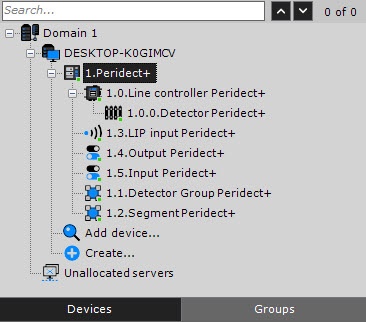
Configuration of the Peridect+ integration module is complete. As a result, a hardware tree is built: