 button near the corresponding field to use the Calendar tool. For the Custom 2 time period, it is also necessary to enter the time of start and end period using the
  button.
You can use templates when you create a report. To add a new template, click Report templates → New template and fill in the Name and Description fields. The template will use the selected parameters of the current report. Templates work the same way as templates in the scheduler and can be used interchangeably. When you create a response using a template, click Report templates at the top of the page and select the required template from the list of saved templates (the required template is highlighted). As a result, the parameters of the current report are updated according to the selected template. |
The Report by actions of Event Manager operator is a table which displays the requests received by the Event Manager operator and his reactions to them.
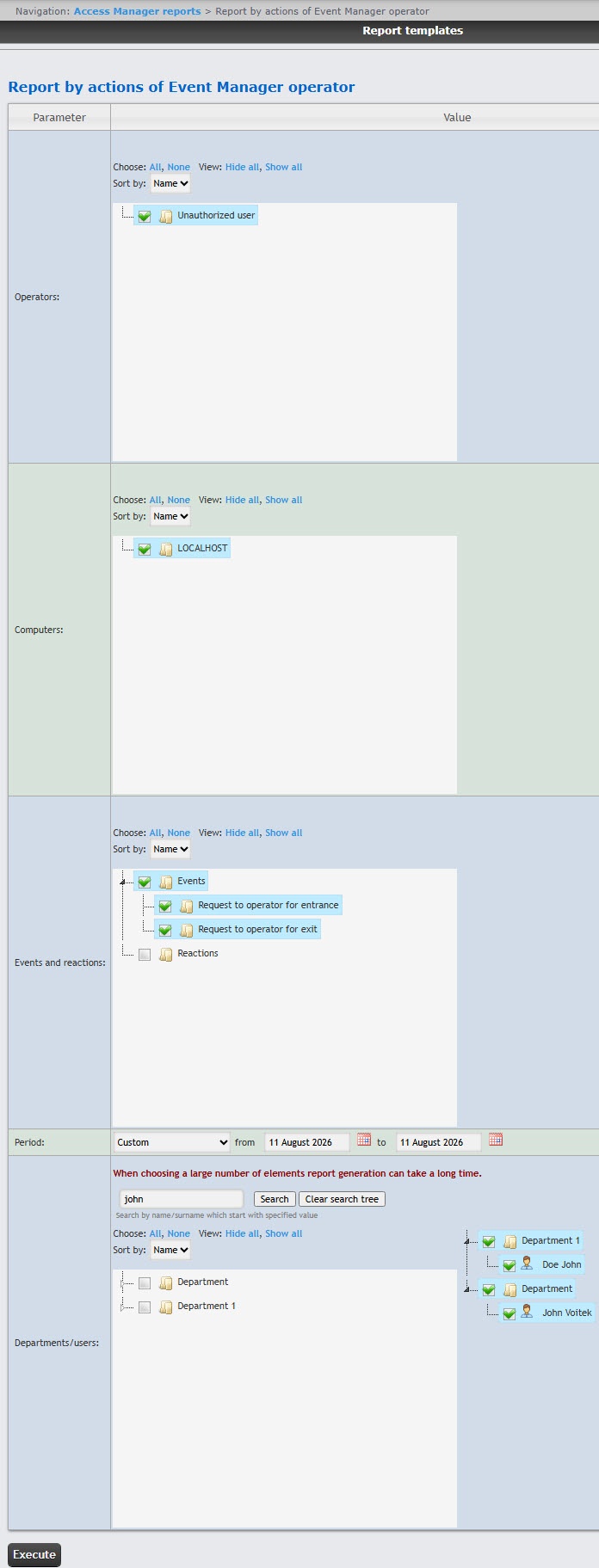
To create the Report by actions of Event Manager operator, do the following:
button near the corresponding field to use the Calendar tool. For the Custom 2 time period, it is also necessary to enter the time of start and end period using the button.As a result the report with specified parameters is displayed.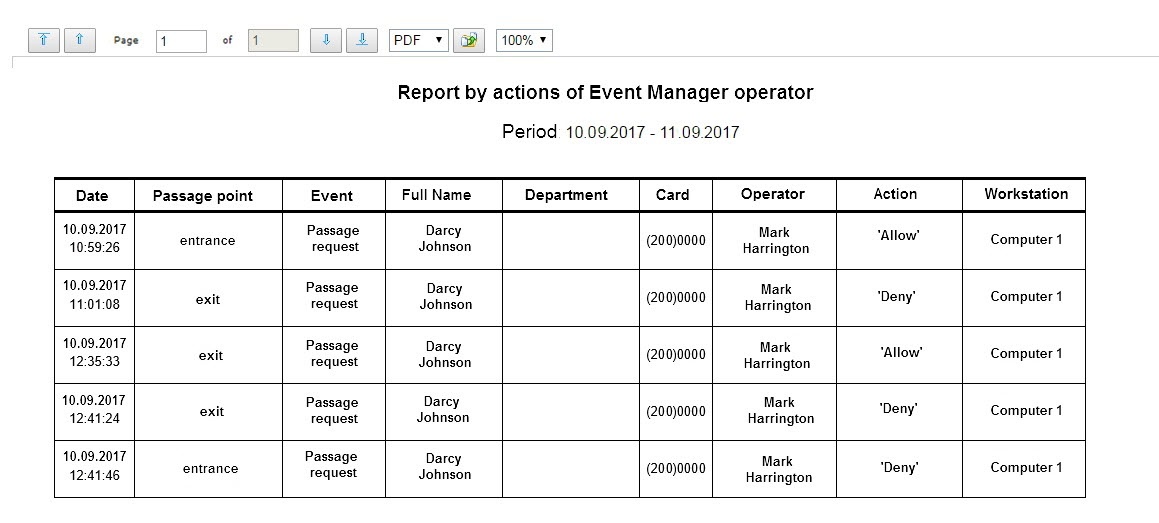
The report fields are described in the table.
| Field name | Description |
|---|---|
| Date | Date of the request received by the operator |
| Passage point | The passage point controlled by the Event Manager module |
| Event | Request received by the operator |
| Full Name | Full name of the requesting person |
| Department | Department of the requesting person |
| Card | Card number of the requesting person |
| Operator | Full name of the operator |
| Action | Operator reaction to a request |
| Workstation | The name of the computer on which the operator action was performed |