
Go to documentation repository
Previous page Next page
You can configure the People counter detection module on the settings panel of the People counter detection object that is created on the basis of the Camera object on the Hardware tab of the System settings window.
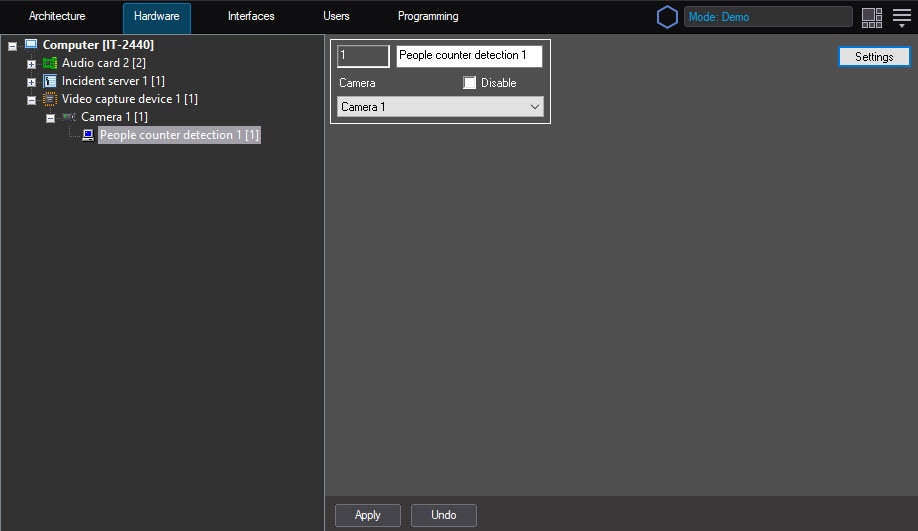
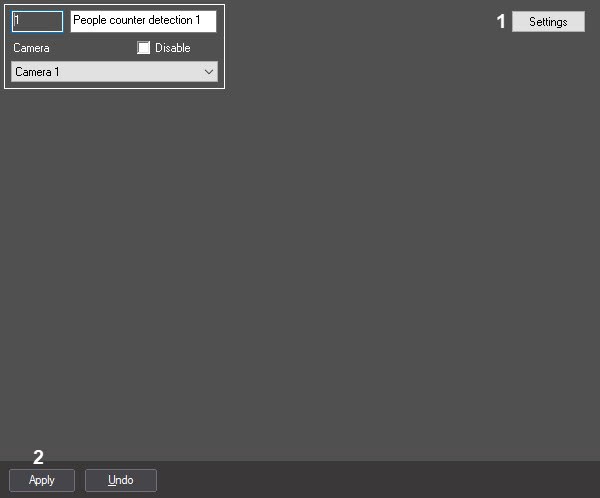
To configure the People counter detection program module, do the following:
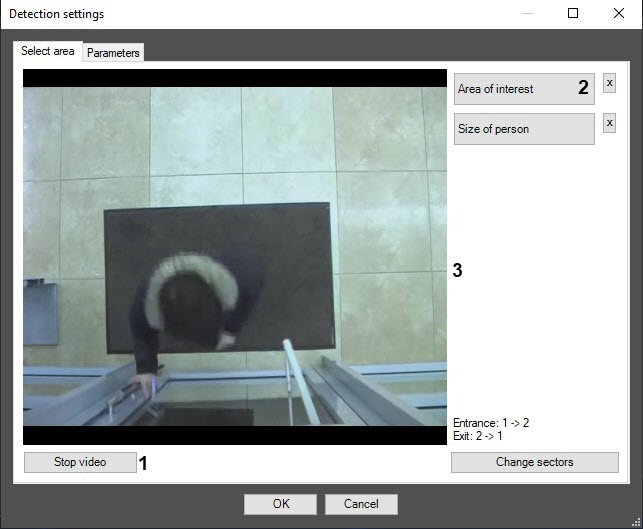
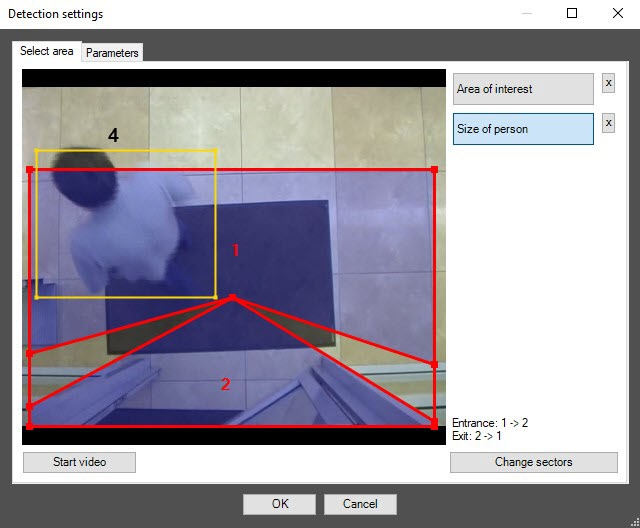
On the captured video image (3), specify the detection area. To do this, click the frame area and stretch the frame border that limits the surveillance area to the required size. You can add only one area. When you try to add the second area, the first one is deleted.
Note
To remove the area, click the  button next to the Area of interest button.
The area of interest is divided into two sectors—1 and 2. If an object moves from sector 1 to sector 2, it is considered the entry of a visitor. If an object moves from sector 2 to sector 1, it is considered an exit.
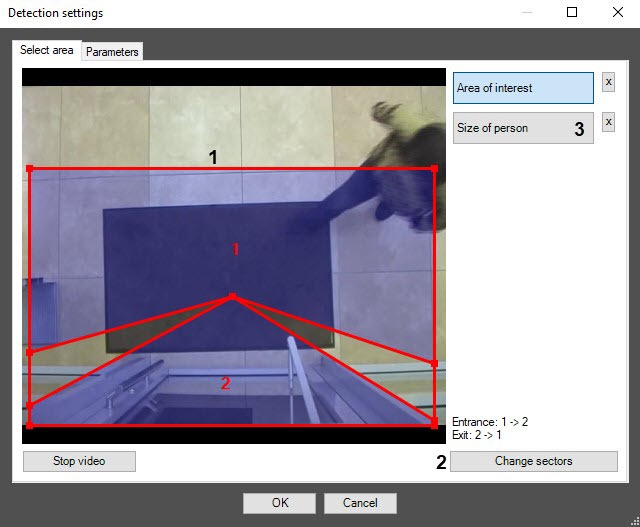
On the captured frame of the video image, specify the approximate person size as the rectangular area using the mouse (4).
Note
To remove the person size, click the button next to the Size of person button.
Configuring the People counter detection module is complete.

