Unable to render embedded object: File (books.jpg) not found.
Go to documentation repository
Documentation for Axxon Next 3.5.1. Documentation for other versions of Axxon Next is [available too].

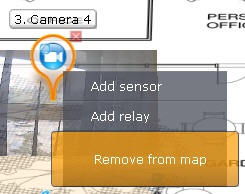
To remove an object from the map, click the  button that is next to the object icon, or in the context menu, select Remove from map.
Note
To delete a map switch, you must click the button.
Overview
Content Tools