To view a detailed report:
- Create a general report of the required type (see General reports).
- Click the link in the cell corresponding to the necessary event and a cashier/POS terminal/POS operator. To view a detailed report by event for all cashiers/POS terminals/POS operators, click the corresponding link in the Total cell.
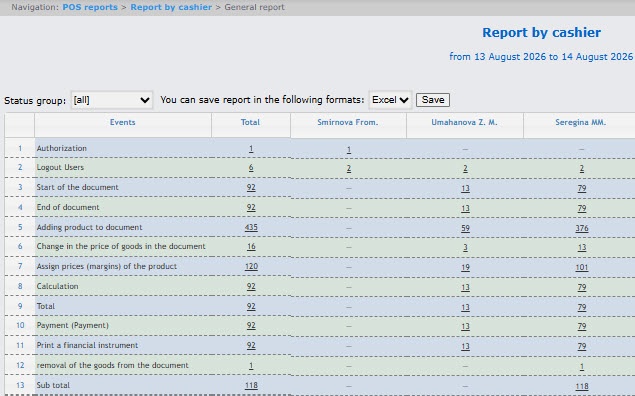
- As a result, the required detailed report by event is displayed.
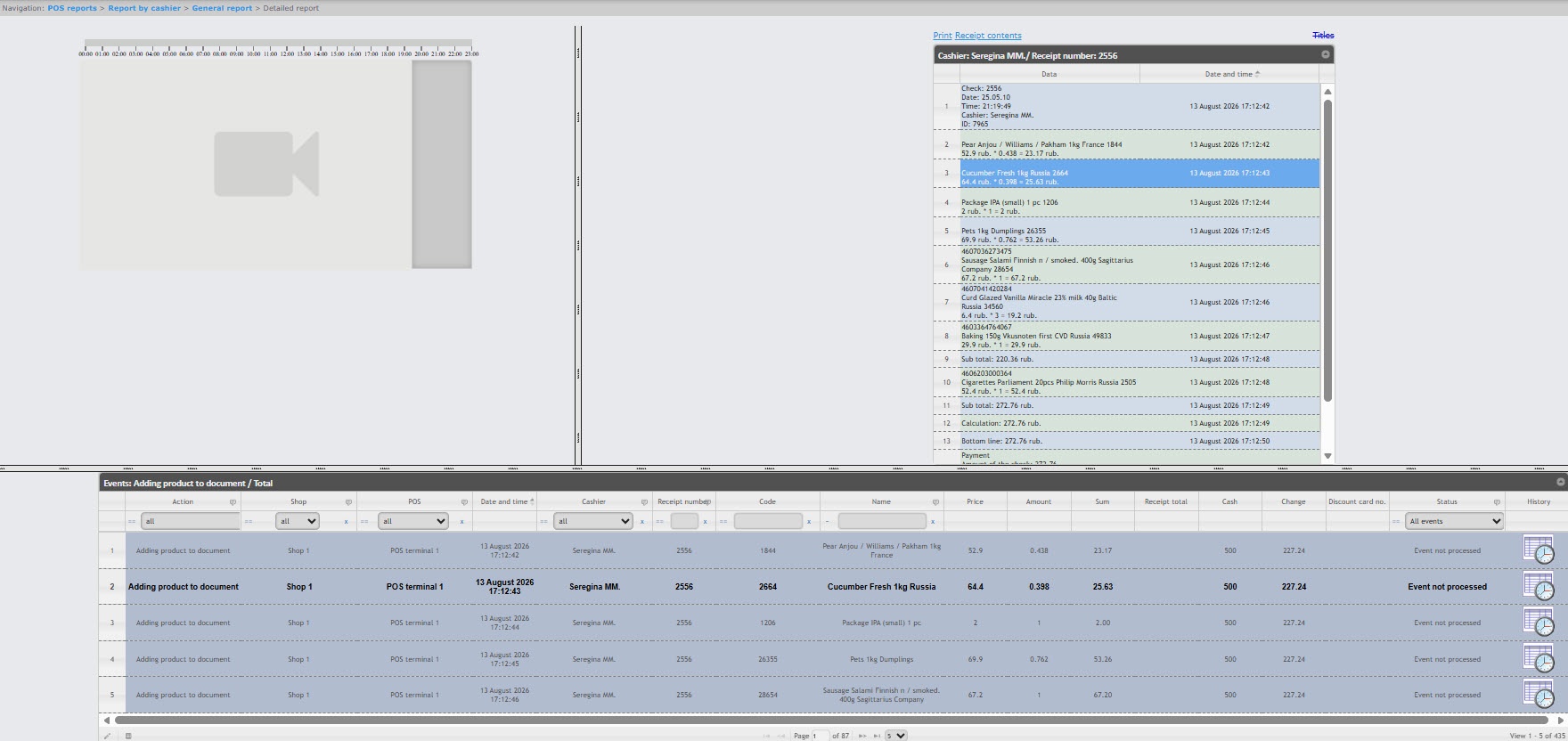
All detailed reports are identical in structure and represent the table. To configure the columns displayed in the table, see Select columns in detailed reports.


