
Go to documentation repository


You can filter the start of macros when a face is recognized by specifying the following parameters:
Note
To use the Age and Gender parameters, you must enable the corresponding parameters in the settings of a detector:
- Age and gender (see Configuring the Face detector VA, Configuring the Face detector TV).
- Face attributes recognition (see Configuring the Face detector VL).
- Age—age of a person.
- Gender—gender of a person. Values: 1—female, 2—male.
- TemperatureValue—temperature of a person, the Face detector and temperature control must be configured, see Face detection and temperature control with Mobotix M16 TR cameras.
To set the parameters that specify the conditions, do the following:
- Select the Face detected: Specified detection event in the start conditions (see Configuring start conditions).

- Click the
 button.
 In the Parameter field, specify the required parameter.
Attention!
The parameter is case-sensitive.
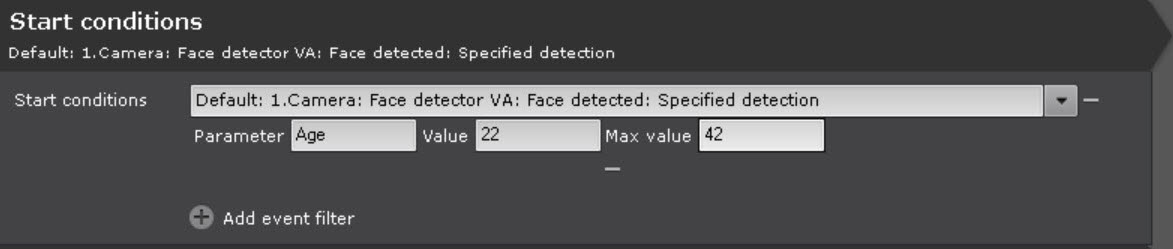
In the Value and Max value fields, set the range of parameter values within which the macro starts.
Note
Examples:
- If you set the Age parameter in the range [18; 100], the macro starts only if the detector returns the age value of 18 or more.
- If you set the Gender parameter in the range [1; 1], the macro starts only if the detector returns the person's gender as female.
- If you set the Gender parameter in the range [2; 2], the macro starts only if the detector returns the person's gender as male.
- If you set the TemperatureValue parameter in the range [37; 100], the macro starts only if the detector returns the temperature value of 37 degrees or more.
- Specify one or more actions that must be performed (see Examples of macros).
- Click the Apply
 button.
As a result, parameters that specify the conditions for starting a macro are applied.
Overview
Content Tools