
Go to documentation repository
Documentation for Axxon One 2.0 version. Documentation for Axxon One 3.0 version is also available.

When working with Axxon One, the user can choose the calendar type (Gregorian or Persian).
To select the calendar type, do the following:
- Go to Settings → Options (1) → Regional settings (2).
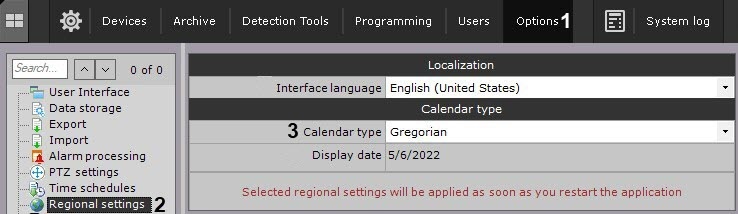
Select the calendar type that is used in Axxon One from the Calendar type drop-down list (3).
- Click the Apply button to save the changes.
- Restart Axxon One (see Stop the client, Starting the client).
When Axxon One is restarted, the selected calendar type will be applied.
Overview
Content Tools