
Go to documentation repository
Documentation for Axxon One 2.0 version. Documentation for Axxon One 3.0 version is also available.

Smooth motion allows smoothly changing the position of the surveillance windows, as well as smoothly switching between the tabs. By default, smooth motion is enabled.
To disable smooth motion, do the following:
- Go to Settings → Options (1) → User Interface (2).
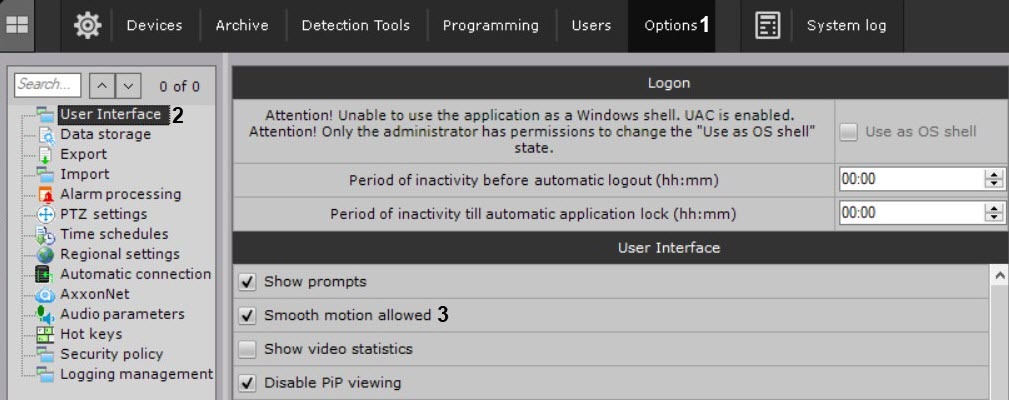
- Clear the Smooth motion allowed checkbox (3).
- Click the Apply button.
Smooth motion of the surveillance windows is disabled.
Overview
Content Tools