


To add the ZKTeco PUSH SDK integration module to the system, do the following:
- Add the device to the system manually using the IP Device Discovery Wizard (see Searching, adding, configuring, and removing IP devices).
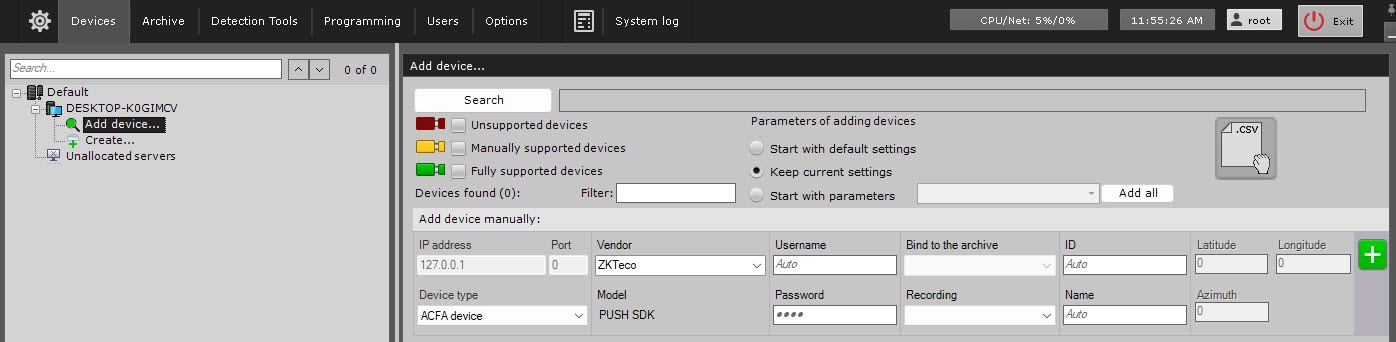
- From the Device type drop-down list, select the ACFA device.
- From the Vendor drop-down list, select ZKTeko. In the Model field, the PUSH SDK model is selected by default.
- Click the
 button.
As a result, the ZKTeco PUSH SDK integration module is displayed in the device tree.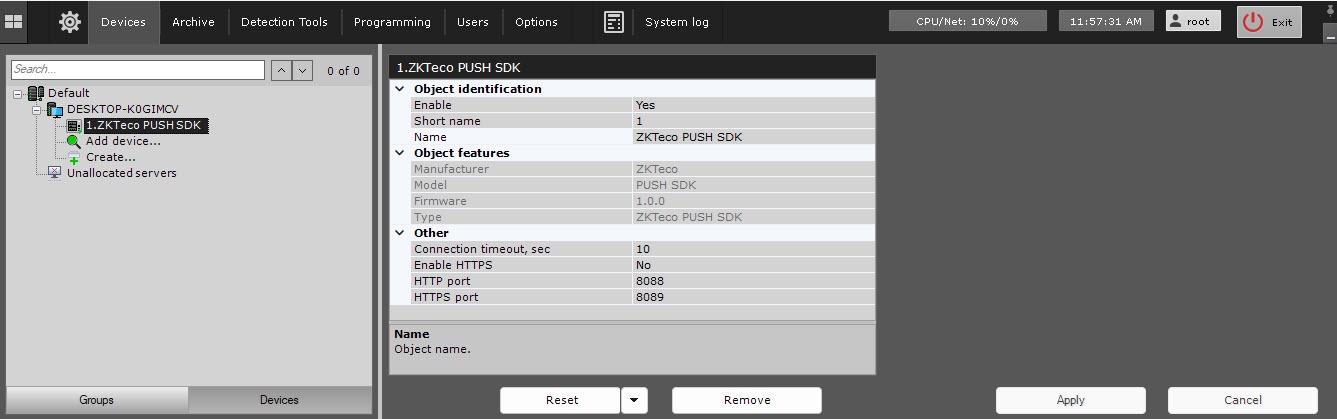
Overview
Content Tools