
Go to documentation repository

Documentation for Axxon PSIM 2.0. Documentation for other versions of Axxon PSIM is available too.
Previous page Next page

To arm the camera of the main detection zone, select the Arm option in the function menu of the required surveillance window.
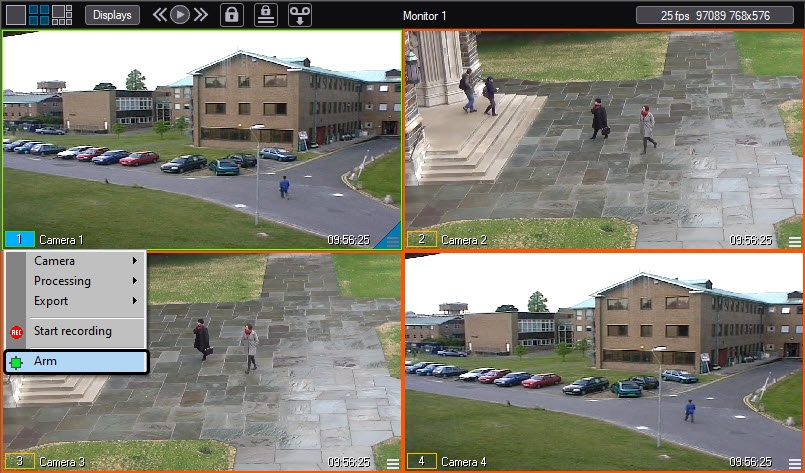
After this, the camera is activated, and if an alarm event is registered, video is recorded (if the system is configured accordingly). When you arm the camera of the main detection zone, the outline color changes: the outline color of the surveillance window turns yellow, and the color of the camera indicator in the function menu of the surveillance window also turns yellow.
If you specify additional detection zones, you can also use the function menu of the surveillance window to arm the cameras of additional detection zones.
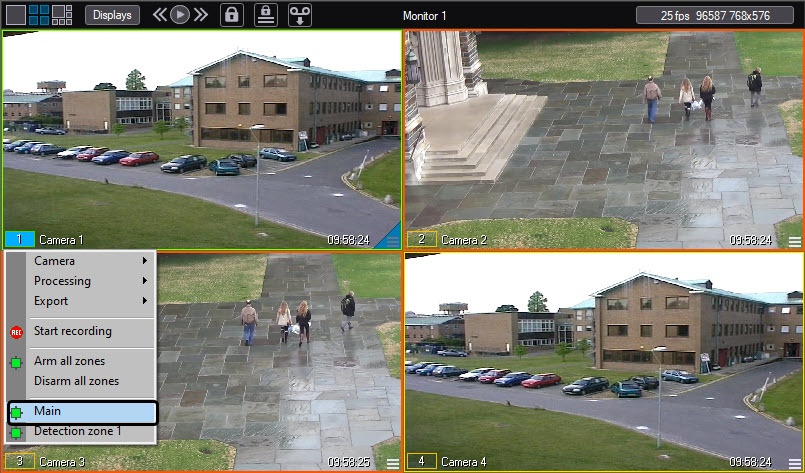
When you arm the camera of additional detection zones, the camera indicator in the function menu of the surveillance window turns yellow.
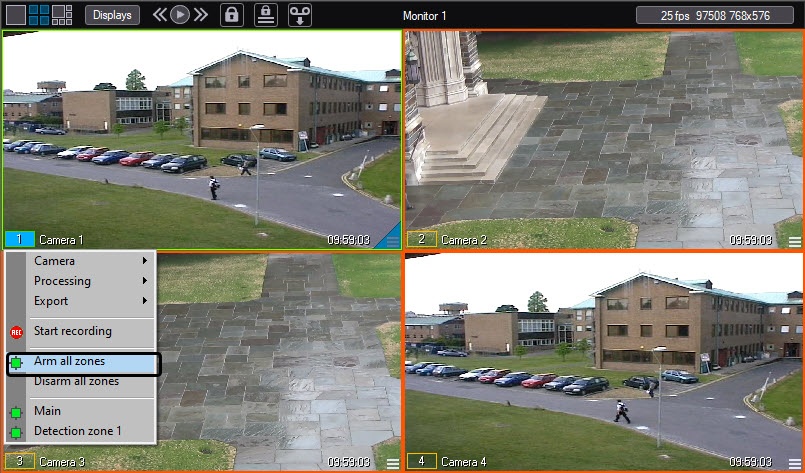
To arm the camera of the main detection zone and all additional detection zones simultaneously, select the Arm all zones item in the function menu of the surveillance window.
Overview
Content Tools