


To configure the object of the Sigur 2.0 integration module, do the following:
Note
The user whose credentials are used to connect to the Sigur 2.0 integration module must set the Use REST API checkbox in the SIGUR Access Management software.
- Go to the settings panel of the Sigur 2.0 object.
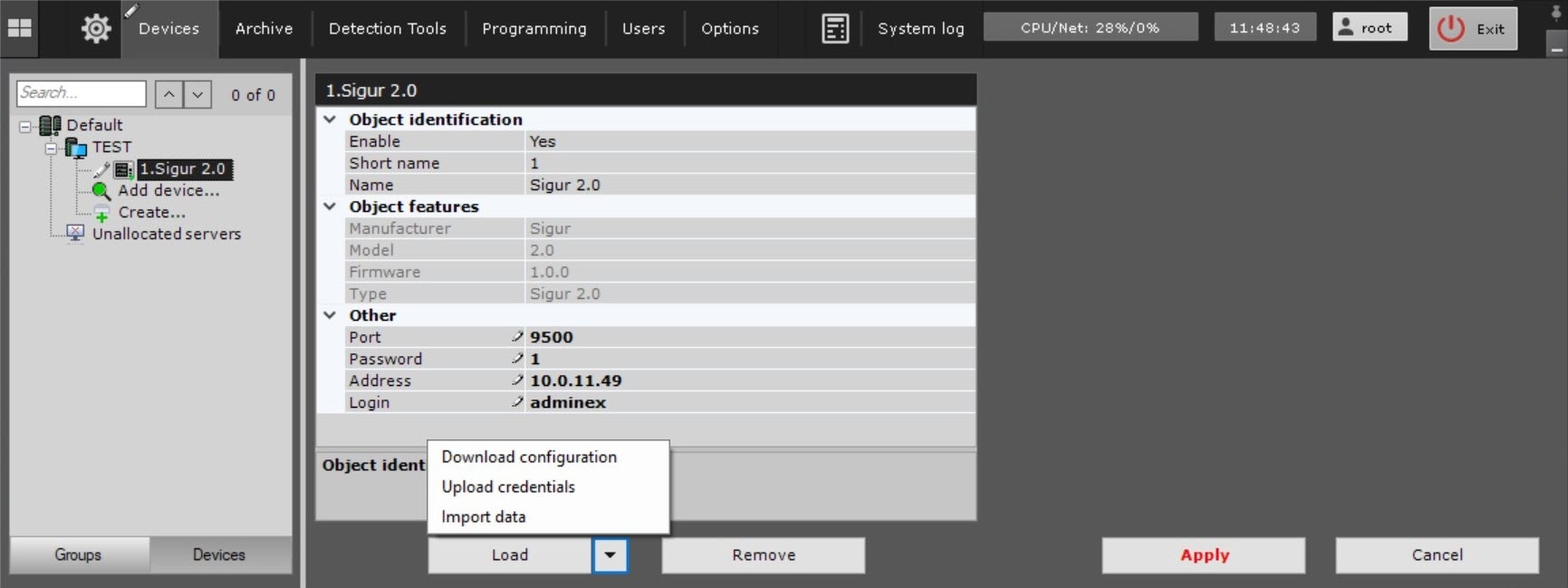
- In the Port field, specify the number of the port to connect to the SIGUR Access Management software.
- In the Password field, specify the user password of the SIGUR Access Management software.
- In the Address field, specify the IP address of the SIGUR Access Management software.
- In the Login field, specify the username of the SIGUR Access Management software.
- Click the Apply button to save the changes.
- Click the
 button and select Download configuration from the drop-down list to download the configuration automatically and build the device tree.
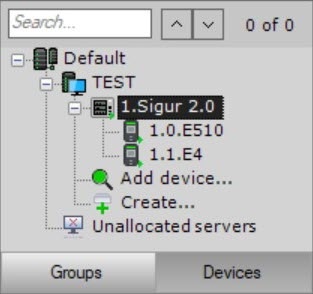
 - Click the Apply button. As a result, a device tree is built:
- To upload user data from the SIGUR Access Management software, click the button and select Import data from the drop-down list.
- Click the Apply button.
- To upload user identifiers from the SIGUR Access Management software, click the button and select Upload credentials from the drop-down list.
- Click the Apply button.
Configuring the object of the Sigur 2.0 integration module is complete.
Overview
Content Tools