
Go to documentation repository

Documentation for Axxon PSIM 2.0. Documentation for other versions of Axxon PSIM is available too.
Previous page Next page

To configure the Client, do the following:
- Go to the settings panel of the Intercom Control Monitor interface object.
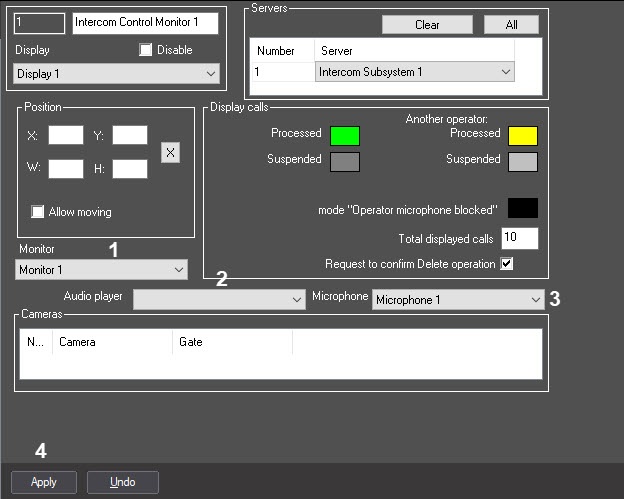
From the Monitor drop-down list, select the Monitor object available for this Client (1).
Note.
If you notice image fluttering on the video from intercom displayed on the selected Monitor, and Video image deinterlacing function doesn't help, try using registry keys in Video\Deinterlace section (see Registry keys reference guide for more details).
- From the Audio player drop-down list, select the Audio player object available for this Client (2).
- From the Microphone drop-down list, select the Microphone object corresponding to the Client microphone which will be in use during the communication sessions with SIP-device (3).
- To save changes, click Apply button (4).
The Client configuration is completed.
Overview
Content Tools