
Go to documentation repository


Note
By Modbus Input Register, the Analog Input is meant. The Analog Input can only be read by getting the state of this input. The register size is 2 bytes.
The Modbus Input Register is configured as follows:
- Go to the settings panel of the Modbus Input Register object that is created on the basis of the Modbus Device object.
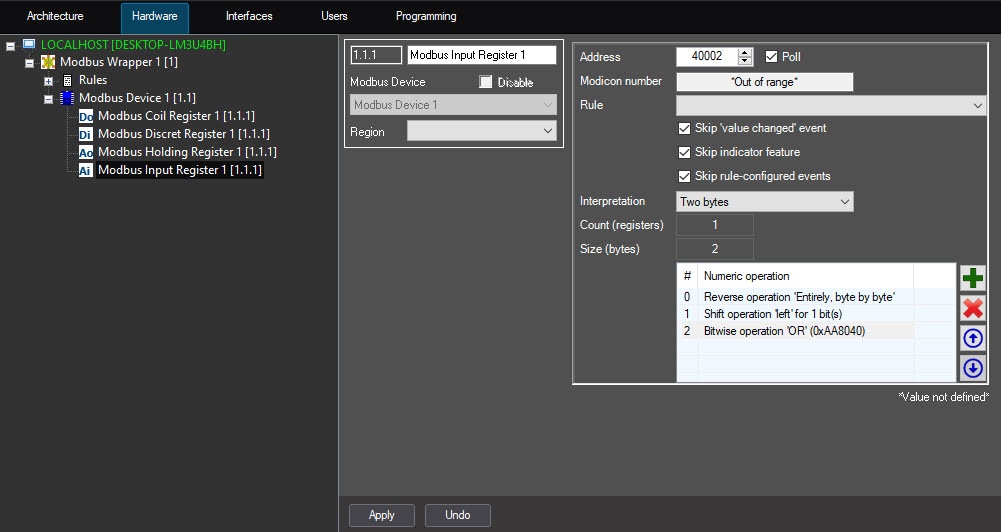
In the Address field (1), enter the Input Register address in the register map of this device.
Attention!
- The registers map is provided by the manufacturer.
- The register address is always less than the register number by 1. The register address is specified in the settings.
- From the Format drop-down list (2), select the register data format:
- Bin—binary.
- Dec—decimal.
Hex—hexadecimal.
Note
The Value area (3) displays the current Input Register value in the selected format.
- Click the Read value button (4) if it is necessary to read the device register.
- Set the Auto update checkbox (5) if it is necessary to automatically read the register values with the interval specified on the Modbus Device object settings panel.
- From the Rule drop-down list (6), select the rule to which this Input Register will obey (see Configuring the Modbus Rule).
- Set the Value change checkbox (7) if it is not necessary to display the events on the register value change in the Event Viewer.
Uncheck the Indicator change checkbox (8) if it is necessary to allow displaying the register values in the plain text on the map.
Attention!
Value change of this parameter will be applied after restarting the ACFA PSIM Server.
- Set the Config event checkbox (9) if it is not necessary to display the events in the Event Viewer when the rule is triggered.
- Click the Apply button (10) to save the changes.
The Modbus Input Register is now configured.
Overview
Content Tools