
Go to documentation repository

Documentation for Axxon PSIM 2.0. Documentation for other versions of Axxon PSIM is available too.
Previous page Next page

To configure the search in the captions database, specify the following parameters:
- Default search depth—sets the captions search depth.
- Highlight found words—highlights the found word with a specified color in the search results.
- Video source—selects an archive from which you want to receive the video data: the main archive or the backup one.
Note
You can disable saving captions in the captions database by using the NoSaveTitles registry key—see Registry keys reference guide.
To specify the search parameters in the captions database, do the following:
Set the archive search depth of the captions database by entering the required value in the Default search depth (days) field.
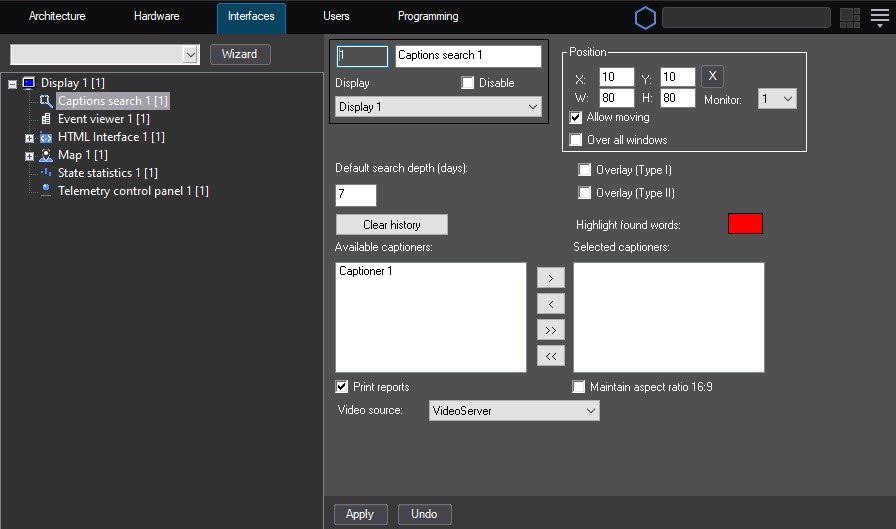
If you want to highlight found words with a specified color, double-left-click the Highlight found words field and select the required color in the standard Windows dialog window that opens.
From the Video source drop-down list, select an archive from which you want to receive the video data to display the search results: the main video server archive or the backup archive.
Note
If you select the backup archive as the video source, and not all cameras have records in it, then only the search results for cameras that have records in the backup archive are displayed.
If there is no backup archive for all cameras, but you select it as the video source, the archive from the video server for all cameras is used by default.
- Click the Apply button.
Specifying the search parameters in the captions database is complete.
Overview
Content Tools