
Go to documentation repository


In order for an exculpatory document to be taken into account in calculations and displayed in reports, it must be added to a user. To do this, do the following:
- Go to the Departments tab of the Access Manager interface window.
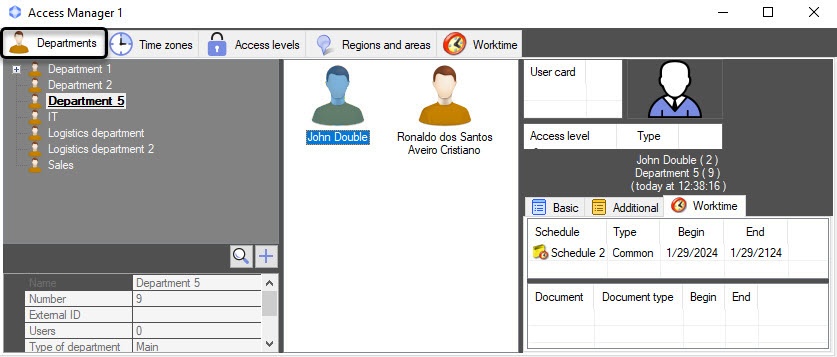
- Double-click to open the editing window of the user to whom the document is added.
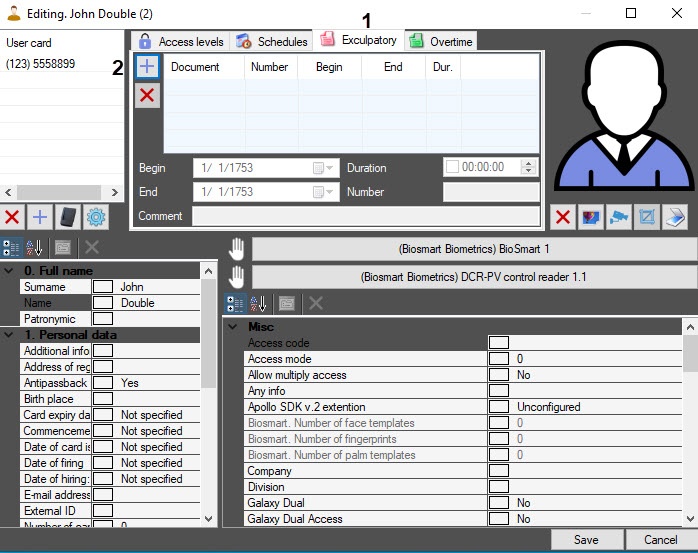
- In the editing window, go to the Exculpatory tab (1).
- To add an exculpatory document, click the
 button (2). As a result, the Document search window opens.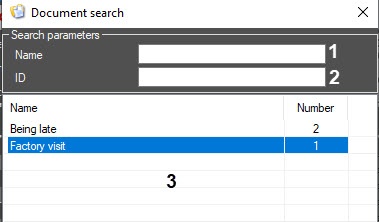
- Select the required document from the list in the area (3) or search by parameters:
In the Name field (1), enter the document name to search by it. The search starts with the first character.
- In the ID field (2), enter the document ID to search by it.
- For the added exculpatory document:
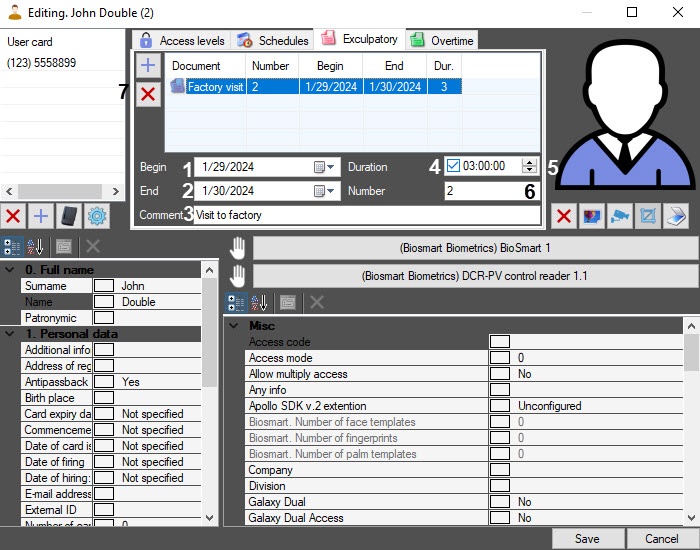
- In the Begin (1) and End (2) fields, specify the begin date and end date of the exculpatory document, using the calendar that opens by clicking the
 button.
 - If necessary, in the Comment field (3), enter a comment.
- Set the Duration checkbox (4) and specify the time interval in the HH:MM:SS format (5) so that this time is also counted as working time.
- In the Number field (6), enter the ID of the document.
Note
To delete a document, click the
 button (7).
- In the Begin (1) and End (2) fields, specify the begin date and end date of the exculpatory document, using the calendar that opens by clicking the
- Click the Save button to save the changes.
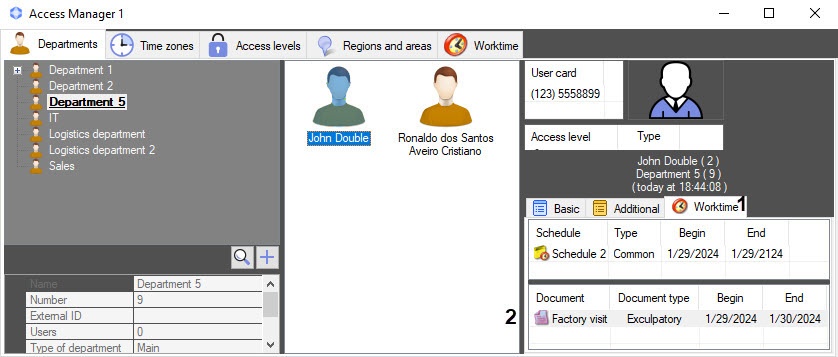
The user exculpatory document is added to the Worktime tab (1) of the user properties panel to the document list (2).
Overview
Content Tools