
Go to documentation repository
Documentation for Axxon One 3.0/3.1 version. Documentation for Axxon One 2.0 version is also available.

On the page:
There are two ways to search in the archive in the Web-Client:
- standard search;
- fast search.
Standard search
To go to the standard search in the archive, do the following:
- Select the required camera on the Hardware panel or on the layout.
- Click the Search
 button on the top panel.
As a result, the interface of the archive search in the Web-Client opens. It is similar to the interface of the main client.
Fast search
The fast search is designed for the simplified search by movement in the marked area.
To go to the fast search in the archive, do the following:
- Select the required camera on the Hardware panel or on the layout.
Click the Fast search
 button in the camera's crater.
Attention!
To display the Fast search button in the camera's crater, you must meet the following conditions:
- Camera is linked to the archive in which the recording is performed.
- The detector from the Trackers group upon which events are generated is configured for the camera (see Category: Trackers).
- Select the required search area on the grid using the
 cursor.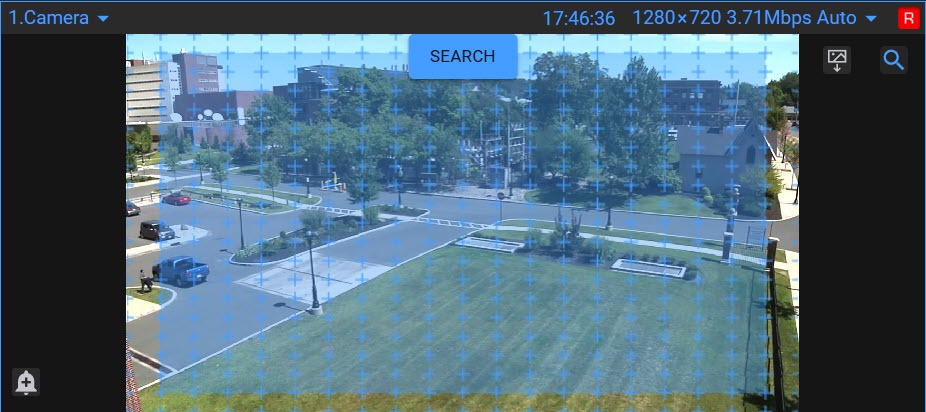
- Click the SEARCH button.
As a result, the interface with search results in the archive by the Motion in area search type opens.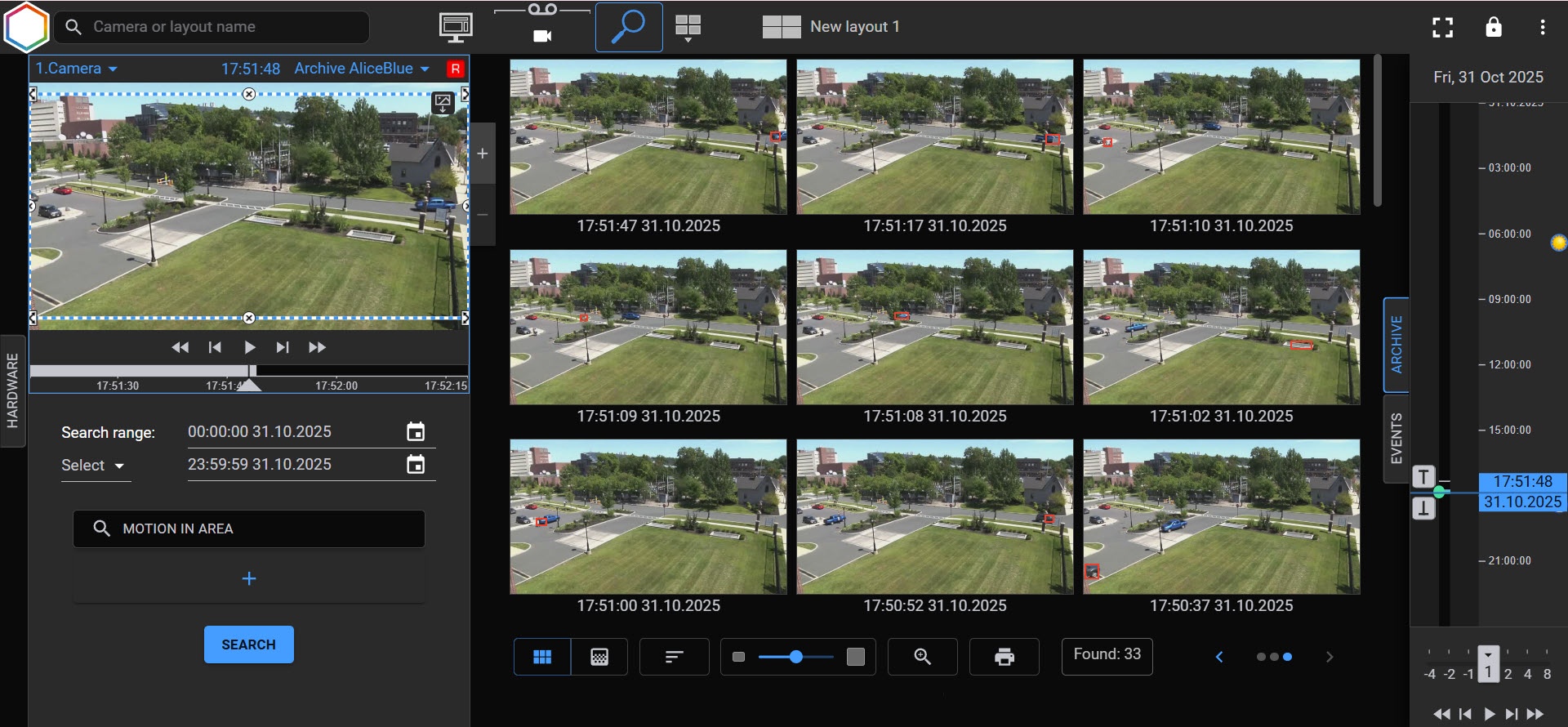
The functionality of the fast search is similar to the search by one camera (see Search in archive).
Working with search results
Search results are the frames of the archive corresponding to the specified search conditions.
Attention!
- The previews of search results are downloaded gradually and displayed when you scroll the screen.
- The number of results depends on the selected search type and time range. The greater the range, the wider the search area.
- Depending on the search type and the time period, it can take some time for search results to load. The search results loading is displayed using the loading icon in the middle of the screen.
The control elements that are described in the table from left to right are located in the lower part of the window with search results:
| Control element | Description |
|---|---|
| Displays search results as tiles (by default) |
| Displays the frame of the video image on which the heat map is built |
| Sorts search results in descending order: from the oldest to the earliest frames (by default) |
| Sorts search results in ascending order: from the earliest to the oldest frames |
| Changes the size of the found frames using the scaling switch or Decrease/ Increase buttons on the left and right sides of the switch, respectively |
| Increases the frame fragments with the selected object |
| Generates a report by search results (see Reporting the search results) |
| Switches between search results if it is performed several times by one camera and the user doesn't close the search tab in the archive |






What to do when you change cameras
When you select a device on the Hardware panel, the following conditions are applied:
- If you switch to the camera that was searched previously, the search conditions of the previous search are saved.
- If you switch to the camera that wasn't searched previously, the search conditions of the camera from which the transition is made are applied.
- When you change a camera within the search interface, the previous results are cleared.
Overview
Content Tools