
Go to documentation repository
Documentation for Axxon One 2.0 version. Documentation for Axxon One 3.0 version is also available.

Sharing layouts
You can share the created layouts between the system users. The user can provide access to the layout that they created.
Note
This feature is especially relevant when only the system administrator creates and edits layouts. After all layouts are configured, the administrator shares layouts between the groups of operators.
To provide access to the layout for other users, do the following:
- Select a layout (see Selecting a layout for editing) and go to the layout editing mode (see Switching to layout editing mode).
Open the context menu by clicking the
 button, and in the Share layout item, select one or several roles of the users to whom you want to provide access to the layout.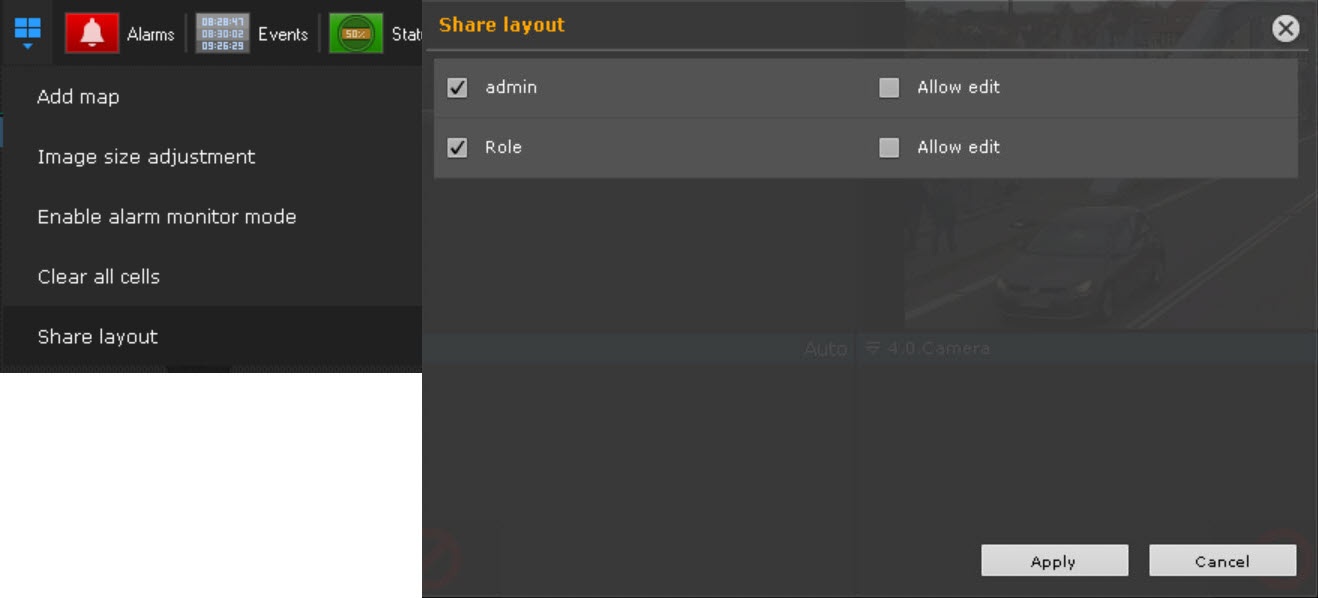
Note
You can select the roles of the selected domain. To switch the domain, use the camera search panel (see Camera Search Panel).
If you want to grant rights for the layout editing, set the Allow edit checkbox next to the role.
Click the Apply button.
- Exit the editing mode (see Exiting Layout Editing mode).
Providing access to the layout for other users is complete.
These users cannot edit and share this layout with other users, but they can do the following:
- Work with layout (see The Layouts panel).
Delete it from their list (see Creating and deleting layouts).
Note
Only the user who creates the given layout can completely delete it from the system. After the user deletes a layout, it becomes unavailable for other users. If the given layout is opened on the monitor of any user, then after it is deleted, the system switches to another layout.
- Copy the layout (see Layout copying). The user becomes the owner of the copied layout and can edit it.
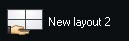
The shared layout has the following icon:
Switching between domains on the layout
When you use the Cross-System client (see Cross-System client), you can switch between the available domains on the current layout by using the drop-down list that is located in the upper left corner next to the camera search field (see Camera Search Panel).
When you use the Cross-System client, the system supports creating and saving the layouts that contain cameras from different domains. To configure it, do the following:
- Switch to the required domain.
- Create the new layout and add cameras of the current domain on it.
- Switch to another domain and add the required cameras to the same layout.
- Save the layout.
The layout is saved on the domain that is selected at the moment of its creation regardless of whether there are cameras of this domain on the layout or not. When you connect to this domain for the next time without accessing other domains, the saved layout is displayed empty.
Note
The Cross-System client is used to connect devices that are in one network. When you connect via the Axxon Datacenter, you can use the technic domain. When you use the cloud connection, there are no network limitations.
Overview
Content Tools